It’s January 2026 and your competitor just launched a marketing campaign that looks like it was created by a team of 10 people. Reality: one person made it using artificial intelligence for beginners without technical knowledge. Meanwhile, you’re still doing everything manually, spending hours on tasks that an AI tool would solve in minutes.
This scenario isn’t fiction. In 2025, businesses like yours lost real money—not from lack of customers, but from operational inefficiency. According to market analysis, small businesses that didn’t adopt generative AI saw productivity drop 15-30% compared to competitors using it. And the trend documented about junior staff being replaced by AI is no joke: machines are doing work that used to cost monthly salaries.
The good news: it’s not too late. This guide will show you exactly why your competitors are winning with AI, how to start without knowing how to code, and how much money you could be losing every month you wait.
| Aspect | Without AI (2025) | With AI (2026) |
|---|---|---|
| Time spent on content writing | 8 hours/week | 2 hours/week |
| Customer support cost | $2,000/month (1 employee) | $300/month (chatbot + person) |
| Graphic design | $500-1000/design | Free with Canva Pro AI |
| Data analysis | Not performed | Automatic daily analysis |
The Uncomfortable Truth: How You Lost Money in 2025 Without AI
Let’s start with the painful truth. It’s not that AI is a “luxury for big corporations”. It’s that every hour your team spends on repetitive tasks is money you’re not earning.
Related Articles
→ Artificial Intelligence for Beginners: What It Is, How It Works, and Why Everyone Uses It in 2026
Imagine Carolina, owner of a content agency with 3 employees. In 2025, she was spending:
- 20 hours weekly writing posts, newsletters, and product descriptions
- $4,200 monthly in salaries for that work
- 3-4 days to create an email marketing campaign
- Zero trend analysis because “there’s no time”
A competitor, Marcos, implemented ChatGPT Plus ($20/month) in his similar agency. Now Marcos:
Watch: Explainer Video
- Produces the same content in 6 hours weekly (70% savings)
- Redirects that time to strategy and sales
- Launches campaigns in 24 hours
- Does weekly analysis of which content performs best
Result: Marcos grew 45% in revenue. Carolina lost 6 clients to the competition because her projects took longer and cost the same.
This pattern repeats across thousands of small businesses. You didn’t lose money because AI doesn’t work. You lost it because your competition was already using it while you waited.
Why Businesses Use AI in 2026 and You Still Don’t

Here’s the uncomfortable question: Why is my competition using AI and I’m not?
Looking at patterns in small businesses, there are three main reasons why entrepreneurs like you still haven’t implemented how to start with AI for small businesses:
1. Fear of the Unknown (which is unjustified)
Most people think using AI requires being a systems engineer. False. You use AI every time you search on Google. ChatGPT is even simpler: you type something, press enter, get an answer.
You don’t need to understand how a car engine works to drive. You don’t need to understand neural networks to use AI in your business.
2. Don’t Know Where to Start (missing roadmap)
There are 10,000 AI tools. Analysis paralysis. This article gives you the exact roadmap: do this first, then this, then this.
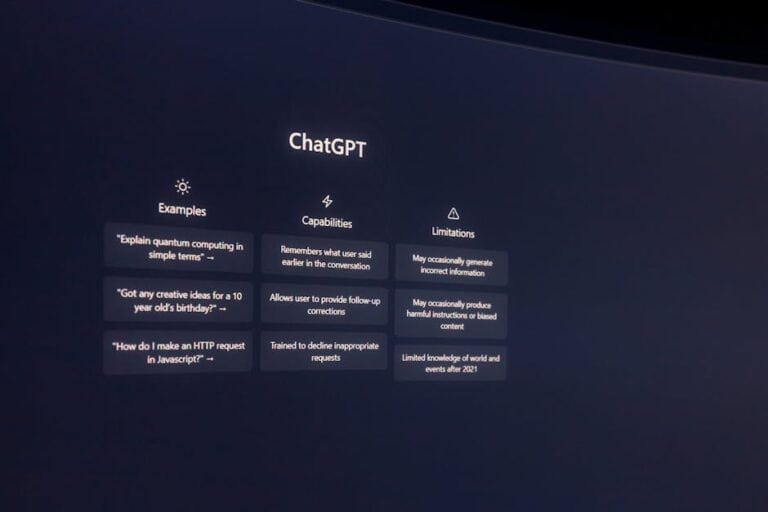
Try ChatGPT — one of the most powerful AI tools on the market
From $20/month
3. Believed False Promises in 2024 (earned skepticism)
In 2024 there was too much hype, too little reality. Now in 2026 we have data. AI works. Period.
But here’s the most valuable insight: it’s not a race of speed, it’s a race of consistency. Those who started in 2024 are far ahead. Those starting in January 2026 still have time to catch up to those who started in June 2025.
Generative AI for Business: Real Use Cases That Generate Revenue
Get the best AI insights weekly
Free, no spam, unsubscribe anytime
No spam. Unsubscribe anytime.
So you understand exactly how generative AI for beginner businesses makes money, here are the most proven use cases:
Case 1: Marketing and Content Agencies (Savings: 70% on writing time)
An agency uses ChatGPT Plus for:
- Generating post drafts (which they edit in 10 minutes)
- Creating headlines for A/B testing
- Writing automatic email sequences
- Analyzing social media comments for insights
Financial Impact: Reduces cost per project 40%, can take 3 more clients with the same team, ROI in 2 weeks.
Case 2: E-commerce Stores (Savings: 60% on product descriptions)
An online store owner uses AI for:
- Generating SEO-optimized product descriptions
- Creating copy variations for different audiences
- Answering customer questions via chatbot (reduce support tickets)
- Analyzing which product descriptions generate more conversions
Financial Impact: 25% increase in conversion rate, 50% reduction in customer support cost, ROI in 3-4 weeks.
Case 3: Consulting and Professional Services (Savings: 50% on proposal preparation)
A consultant uses AI for:
- Drafting personalized proposals quickly
- Creating analytical reports for clients
- Researching industry trends in minutes
- Preparing executive presentations
Financial Impact: Can respond to proposals same day (wins more projects), dedicates time to high-value strategy, increases effective hourly rate, ROI in 1 week.
Case 4: Graphic Design and Creativity (Savings: 80% on simple designs)
A designer uses Canva Pro with AI for:
- Generating banner designs in seconds
- Creating design variations for different platforms
- Automatically generating color palettes
- Removing backgrounds and editing images without Photoshop
Financial Impact: Increases capacity 5x, can do designs they used to outsource, ROI in 5 days.
The question isn’t “Will it work in my business?”. The question is “Which of these use cases is costing me the most money right now?”
How to Start With AI Without Knowing How to Code: Your Step-by-Step Roadmap

Forget theory. Here’s exactly what to do this week:
Step 1: Choose a Base Tool (Today – 15 minutes)
You have two main options (and why both are valid):
- ChatGPT Plus ($20/month): The most versatile tool. Use it for writing, analysis, brainstorming. It’s like hiring an intelligent assistant. Best if you need to write a lot of content.
- Claude Pro ($20/month): Better for deep document analysis and complex reasoning. Best if you work with databases, spreadsheets, or need logical analysis.
Recommendation: Start with ChatGPT Plus. It’s the most intuitive for beginners and the most documented (there are tutorials for everything).
Step 2: Identify Your First Repetitive Task (Today – 30 minutes)
Open your calendar from last week. What activity consumed the most hours and is repetitive?
- Writing follow-up emails?
- Drafting social media posts?
- Creating product descriptions?
- Answering frequently asked questions?
That will be your “first pilot project”. This month, automate that with AI.
Step 3: Learn the Basic Rules of Prompt Engineering (This week – 2 hours)
It’s not programming. It’s learning to write clear instructions to the AI. The difference between:
“Write an email” (bad result)
vs.
“Write a follow-up email for a customer who visited my online store but didn’t buy. Tone should be casual but professional. Should mention a 15% discount. Maximum 3 paragraphs. Target: millennials aged 25-35” (excellent result)
You’ll see the difference immediately. This is the real superpower: giving clear instructions.
Free Resource: Read our complete AI for beginners 2026 guide without programming where we explain basic prompt engineering step by step.
Step 4: Test Your First Prompt (Tomorrow – 15 minutes)
Go to ChatGPT Plus. Write your first specific prompt for your business. For example:
“I own a clothing store. I have 50 products without SEO descriptions. Create a description for: [product name], [features], [target audience]. Include keywords for SEO. Maximum 150 words.”
Copy the response. Edit it (10-20% of the work). Use it. Repeat for the 50 products.
Total time: 3 hours (versus 15 hours doing it manually). Savings: 12 hours = $240-600 in hourly value.
Step 5: Integrate AI Into Your Daily Workflow (This week – 1 hour)
A single test isn’t enough. You need it to be part of your system. Example:
- Monday: Use ChatGPT for content brainstorming (1 hour, generating ideas for the entire week)
- Tuesday-Thursday: Quickly draft and edit what AI generated (2 hours, vs 10 before)
- Friday: Analyze with AI what worked best (30 minutes of automatic analysis)
Result: Same work, 60% less time.
Step 6: Expand to More Tools (Next 3 weeks)
Once you master ChatGPT, add:
- Canva Pro ($13/month): For design. It has AI to generate images, remove backgrounds, create videos. Saves $200-500/month on freelance designers.
- Specialized Tools: Depending on your industry (there’s AI for email marketing, SEO, analytics, etc.)
But don’t do everything at once. Patience = mastering each tool before adding another.
Real ROI Analysis: What to Expect in Money
Here comes what matters: How much money will I actually make?
No empty promises. Real numbers. The ROI of AI in small businesses is calculated like this:
Simple ROI Formula
ROI = (Time Savings × Hourly Rate – Tool Cost) / Tool Cost × 100
Practical example:
- You use ChatGPT Plus: $20/month
- You save 10 hours weekly on writing = 40 hours/month
- Your effective hourly rate: $25/hour (value of time you reclaim for selling/strategy)
- Monthly savings: 40 hours × $25 = $1,000
- ROI: ($1,000 – $20) / $20 × 100 = 4,900%
Yes, you read that right. For small businesses, AI ROI typically ranges between 1,000% and 10,000% in the first month.
Why so high? Because the cost is low ($20-100/month) and the time savings are massive.
Breakdown by Industry: What to Expect in Your Case
| Type of Business | Time Saved/Month | Estimated ROI (Month 1) | Payback Period |
|---|---|---|---|
| Marketing/Content Agency | 80-120 hours | 5,000-8,000% | 2-3 days |
| E-commerce | 40-60 hours | 2,000-4,000% | 1 week |
| Consulting | 50-70 hours | 3,000-5,000% | 3-5 days |
| Freelancer/Independent Professional | 20-40 hours | 1,000-2,500% | 1-2 weeks |
Important: These numbers assume you redirect saved time to revenue-generating activities (sales, strategy, product). If you simply work less, the ROI is free time (which also has value, but isn’t money).
Concrete Tools to Get Started Free or Nearly Free

“But I don’t have a budget,” you’ll say. Well, here are zero-investment options:
Writing and Content (Free)
- Free ChatGPT (web version without Plus): Works for 90% of cases. Limitation: 3 queries every 3 hours during peak times, but enough to get started.
- Claude (free version): 5 conversations every 24 hours. Limited but functional.
- Microsoft Copilot (free): Built into Bing. Access to GPT-4 without paying.
Graphic Design (Free + Canva Pro $13/month)
- Free Canva: Access to 200,000 free templates. Limited AI image generator but usable.
- Canva Pro ($13/month): Unlimited access to AI Magic Tools, unlimited image generation, automatic background removal. ROI: One single design that used to cost $50-100 already pays for it.
Email and Automation (Freemium)
- Mailchimp: AI-assisted email writing, up to 500 free contacts.
- HubSpot: Free CRM with AI assistant for writing.
Learning (Coursera)
If you want to formalize your learning, Coursera has AI for business courses at accessible prices. Search “Artificial Intelligence for Business” from top universities. Invest $30-50 in a certificate if you need credibility with investors or large clients.
But honestly: learning by doing (using ChatGPT today) is faster than a course.
Mistakes Beginners Make (and How to Avoid Them)
After seeing hundreds of entrepreneurs implement AI, these are the mistakes that will cost you money:
Mistake 1: Assuming AI Replaces All Work
Reality: AI generates a draft, you polish it. It’s an assistant, not a complete replacement. An AI-generated email needs a 5-10% human touch to sound authentic.
How to Avoid It: Always edit, verify, and personalize before publishing. Clients can tell when content is 100% robot-made.
Mistake 2: Not Measuring Time Saved
Reality: If you don’t measure, you don’t know if it works. Many implement AI, save time, then waste it on social media.
How to Avoid It: Track time before and after. Example: “Manual writing: 4 hours. With AI: 1.5 hours. Savings: 2.5 hours = $62.50 in value”.
Mistake 3: Expecting Perfection on First Try
Reality: You need 3-5 attempts for the AI to understand exactly what you want. Prompt engineering is a skill, not magic.
How to Avoid It: Be specific. Detail context, tone, audience, format, constraints. The more detail, the better the result.
Mistake 4: Using the Same Tool for Everything
Reality: ChatGPT excels at writing but struggles with deep data analysis. Claude is better for analysis but worse at creativity.
How to Avoid It: Learn which tool is best for each task. Invest $20 in ChatGPT Plus and use it for what it does best.
Mistake 5: Not Sharing Knowledge With Your Team
Reality: If only you know how to use AI, you become the bottleneck. Your team needs to use these tools too.
How to Avoid It: Spend 1 hour this week training your team. Show 2-3 concrete use cases. Give them ChatGPT access. You’ll see productivity multiply.
Is It Too Late to Start With AI in 2026?
The anxious question: “We’re halfway through 2026. Did I already fall behind?”
Short Answer: No. It’s the best time to start.
Long Answer: Look at adoption curves. In 2024, only early adopters used AI. In 2025, some competitors. In 2026, most small businesses still aren’t using it systematically. Companies implementing AI now will be far ahead of the competition in 2027-2028.
Plus, the tools are mature. No more “unstable betas”. ChatGPT is reliable. Canva Pro works perfectly. These are production-ready products.
The best time to start was 2 years ago. The second-best time is now.
Next Steps: Your Action Plan for This Month
We don’t want you closing this article without taking action. Here’s the plan:
- Today: Create a free ChatGPT account. Ask 3 test questions about your business.
- Tomorrow: Subscribe to ChatGPT Plus ($20). Identify your #1 repetitive task.
- This Week: Learn basic prompt engineering. Read our generative AI for beginners 2026 guide.
- Next Week: Automate your first task. Measure time saved.
- Month 2: Add Canva Pro. Expand to another specialized tool.
- Month 3: Train your team. Get everyone using AI.
If you follow this plan, in 3 months you’ll have saved 100+ hours of work and recovered between $2,500-$5,000 in time value.
Does that sound like a lot of money? For small businesses, it’s the difference between growth and stagnation.
Resources to Go Deeper Without Getting Overwhelmed
If you want to learn more about key concepts, we have specific guides:
- AI for Beginners 2026: What It Is, How It Works, and Why Everyone Uses It — The complete theoretical guide.
- 7 Key Concepts of AI Explained Without Technicalities — To understand the basics without headaches.
- Generative AI for Beginners: What It Is, How It Works — Focused on practical tools.
And if you work in education or have studying children, check out how to use AI ethically in education.
FAQ: Answers to Your Questions About AI for Business
What is generative AI really for a small business?
It’s a tool that creates new content (texts, images, analysis) based on your instructions. Think of it as hiring an assistant that works 24/7 for $20-50 monthly. It doesn’t replace creative humans, but it does 70% of the base work that a junior employee or contractor used to do.
How much does it cost to start using AI in my company?
Zero if you want to start with free versions (free ChatGPT, free Canva). $30-100/month if you want premium tools for real production (ChatGPT Plus $20 + Canva Pro $13 + other specialized ones). Compared to hiring a person, it’s 95% cheaper.
What AI tools are free for beginners?
ChatGPT web version (limited), free Claude (5 daily conversations), Microsoft Copilot (free, GPT-4 access), free Canva (200K templates), Mailchimp (AI email until 500 contacts). All functional for small businesses just starting.
Can AI really help my business generate revenue?
Yes, but not directly. AI saves time, you use that time for sales, strategy, or product. Result: more time to earn money. A freelancer saving 20 hours weekly with AI can take 2 more clients = +$2,000-3,000 monthly. An agency automating writing can handle 50% more projects without hiring new people.
Do I need to code to use AI in my company?
No. Zero coding. You write in normal language (English normally), the AI responds. It’s simpler than sending an email. The only “technical skill” is learning to ask clear, specific questions (prompt engineering), which you learn in 2 hours of practice.
What are the best use cases of AI for small businesses?
1) Content writing (posts, emails, descriptions): 70-80% time savings. 2) Graphic design (banners, graphics): 60-70% cost savings. 3) Customer service (chatbots): 50% personnel cost savings. 4) Data analysis: 80% time savings interpreting numbers. 5) Market research: 90% time savings finding trends.
How are my competitors using AI to grow?
Three proven ways: 1) Automating repetitive tasks, freeing time for strategy and sales. 2) Reducing operating costs (fewer employees doing more work). 3) Improving quality: analyzing data with AI to make better decisions about marketing, product, pricing. Result is 20-50% annual growth.
What ROI can I expect from an AI tool?
For small businesses, 1,000-10,000% ROI in the first month. Yes, thousands of percent. Example: pay $20 for ChatGPT Plus, save 40 hours at $25/hour = $1,000 value. ROI: 4,900%. The only catch: you have to redirect that saved time to revenue generation, not procrastination.
Looking for more tools? Check our selection of recommended AI tools for 2026 →
AI Tools Wise — Our content is researched using official sources, documentation, and verified user feedback. We may earn a commission through affiliate links.