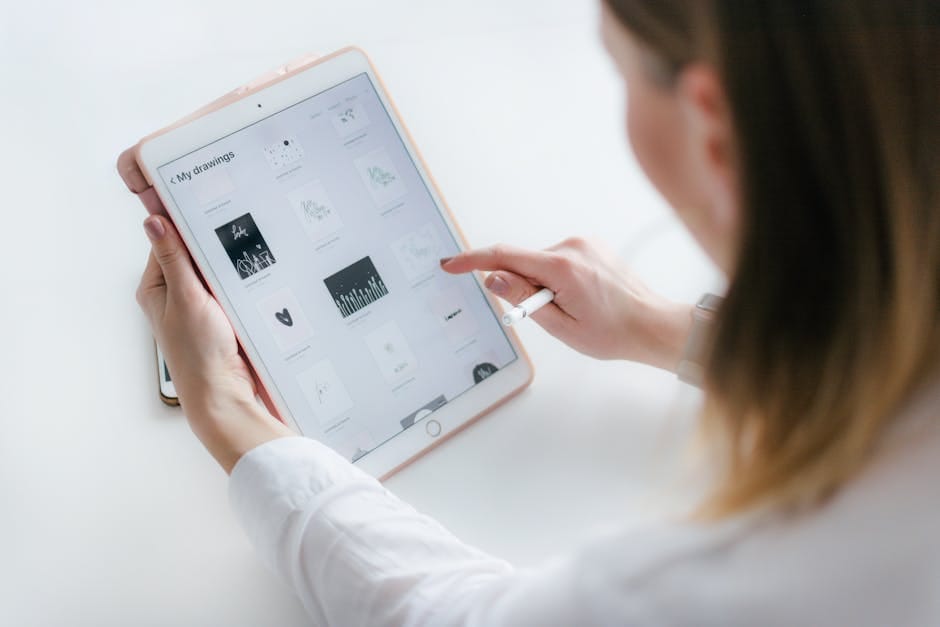
AI for Designers: The Revolution That’s Already Here in 2026
If you’re a graphic designer, visual marketing specialist, or entrepreneur creating content, you’ve probably already noticed that AI for designers has stopped being a future trend and become your daily reality. In 2026, ignoring these tools is not an option if you want to maintain your competitiveness.
The landscape has changed radically over the last two years. Tools like Canva Pro with AI, DALL-E 3, Midjourney, and other platforms have democratized professional design. You no longer need years of Adobe training to create graphics that convert.
In this guide, we show you the best AI tools for designers that actually work in 2026, with updated pricing, honest comparisons, and use cases you can implement today.
Comparison Table: The Best AI Design Tools in 2026
| Tool | Best For | 2026 Price | Generative AI |
|---|---|---|---|
| Canva Pro | Fast design, social media | $15/month | Yes (Magic Studio) |
| DALL-E 3 | Image generation | ChatGPT+ $20/month | Yes (Primary Image) |
| Midjourney | Concept art, illustration | $12-120/month | Yes (High Quality) |
| Adobe Firefly | Creative Cloud Integration | $65/month | Yes (Native) |
| Photoshop + Generative Fill | Professional editing and composition | $38/month (single) | Yes (Generative Fill) |
The 5 Best AI Tools for Designers in 2026
Get the best AI insights weekly
Free, no spam, unsubscribe anytime
No spam. Unsubscribe anytime.
1. Canva Pro: The Best Choice for Agile Designers
Canva Pro with AI remains the most accessible and versatile tool in 2026. It’s not the most powerful, but it’s the most practical for designers who need speed without sacrificing quality. Its Magic Studio suite includes image generation, background removal, image expansion, and AI-assisted editing.
What sets Canva Pro apart is its comprehensive approach: you have professional templates, a library of millions of elements, and now complete integration with generative AI tools. You can go from idea to final design in minutes. Many freelance designers use it to accelerate projects without wasting time on repetitive tasks.
Price: $15/month (monthly billing) or $11/month (annual). Team plans from $22/month per user.
Mini-verdict: Ideal for small agencies, freelancers, and marketing teams. The best balance between price, ease of use, and real results. The combination of Canva and AI for quick designs is unbeatable if your priority is efficiency.
2. DALL-E 3: The Most Intelligent Image Generator
DALL-E 3 (integrated into ChatGPT Plus) has significantly closed the gap with Midjourney in accuracy and visual coherence. It’s the image generator that best understands natural language prompts and produces more realistic and contextual images.
For designers, DALL-E 3 shines when you need to generate specific visual assets with composition control. You can iterate quickly by asking for changes directly in the ChatGPT conversation. The advantage: seamless integration with image analysis and ChatGPT’s ability to refine your ideas.
Key Featured Function: DALL-E 3 vs Canva in terms of quality: DALL-E produces more sophisticated and artistic images, ideal for unique concepts. Its engine understands style nuances that other tools miss.
Price: ChatGPT Plus $20/month (unlimited access). Additional credits from $15/pack of 115 credits on the API.
Mini-verdict: Perfect for designers who want creativity without friction. Excellent for generating concepts, illustrations, and unique assets. Less recommended for realistic photo editing.
Related: How to Explain What AI Is to Someone Who Doesn’t Understand Technology: 2026 Guide
3. Midjourney: The Reference for Concept Art and Illustration
Midjourney remains the tool of choice for professional designers and digital artists in 2026. Its massive community, continuously trained models, and output visual quality are unmatched. It generates studio-level concept art in seconds.
Although it has a steeper learning curve (it works via Discord with command syntax), the result justifies the effort. Thousands of designers generate direct income from assets created in Midjourney. It’s the tool of choice when AI for designers must produce premium results.
Key Featured Function: Advanced styles and parameters allow granular control. You can combine “–ar 16:9 –style raw –niji” to get exactly what you visualize. Superior to competitors in stylistic consistency.
Price: Basic Plan $10/month ($3.33/month annual billing). Pro $30/month. GPU power scales according to need.
Mini-verdict: Essential investment if your work requires concept art, illustration, or complex visual compositions. The professional design image generator most powerful on the market.
4. Adobe Firefly (Included in Creative Cloud): Perfect Workflow Integration
If you already pay for Adobe Creative Cloud, Firefly is the free upgrade that makes your life easier. It’s natively integrated into Photoshop, Illustrator, InDesign, and Premiere. You don’t need to jump between applications: write a prompt within your favorite app and you’re done.
Firefly excels at specific tasks: generative fill in Photoshop, image upscaling without quality loss, and canvas expansion. For designers already invested in Adobe, Canva Pro AI vs Adobe is a comparison where Adobe wins in integration but loses in speed and initial price.
Key Featured Function: Generative Fill in Photoshop that understands context. If you have a background and ask it to fill a specific area, it does so coherently. A game-changer for photographers and product designers.
Price: Included in Creative Cloud ($65/month). Photography plan with Firefly from $12/month.
Mini-verdict: Best option if you already use Adobe. No extra cost. Not recommended if you’re looking for an independent economical tool.
5. Photoshop Generative Fill: The Power of AI-Assisted Editing
The Generative Fill feature in Photoshop deserves special mention. It’s not a new tool, but by 2026 it’s become so sophisticated that professional designers consider it essential for real workflows. It allows you to select areas of a photo and replace them with AI-generated content that integrates perfectly.
Real use cases: removing elements from a photo, automatically expanding canvas, changing backgrounds, filling gaps in compositions. All without losing texture or visual coherence. This is where AI for designers crosses the boundary between creativity and pure productivity.
Key Featured Function: Generates content respecting lighting, perspective, and original image style. Integration precision is superior to generic tools.
Price: Included in Photoshop individual ($38/month) or complete Creative Cloud ($65/month).
Mini-verdict: Editing tool, not pure creativity. Ideal for professional retouching and composition. Recommended as a complement to other tools, not as a standalone solution.
What AI Do Professional Designers Use in 2026?
The answer: not one, but several. Successful professional designers in 2026 use a stack of complementary tools.
- Concept Generation: Midjourney or DALL-E 3 to quickly explore ideas
- Quick Design: Canva Pro for layouts, templates, and agile composition
- Professional Editing: Photoshop + Generative Fill for retouching and final adjustments
- Automation: Adobe Firefly for repetitive tasks within Creative Cloud
This hybrid workflow is more efficient than relying on a single tool. Each shines in its specific niche.
How to Combine Canva and AI for Quick Designs: Practical Guide

Many designers ask: How do I combine Canva and AI for quick designs without sacrificing quality? Here’s the proven strategy:
Step 1: Define Your Concept with Generative AI
Before opening Canva, clarify your vision using DALL-E 3 or Midjourney. Generate 5-10 variations of the visual concept you have in mind. This saves you sketch time and gives you real inspiration.
Step 2: Import or Create Base in Canva Pro
Open Canva Pro and choose a template that approximates your vision. Templates are a starting point, not a destination. Customize colors, typography, and layout according to your brand.
Step 3: Use Canva’s Magic Studio
Here’s the magic: use the AI image generator integrated into Canva Pro to create complementary assets. Example: if you need images of people using your product, generate 3-4 options, select the best one, and insert directly.
Step 4: Refine in Photoshop if Necessary
For premium projects, export from Canva and import to Photoshop. Use Generative Fill for final adjustments: change background, remove elements, expand composition.
Total Time: An Instagram post that would take 2 hours now takes 20 minutes. A visual campaign of 10 assets: 3 hours vs 1 hour with the right stack.
Related: Claude Code vs ChatGPT: Which Is Better for Programming with AI in 2026?
Can I Make Money Designing with AI?
Yes, absolutely. But there are important nuances you need to understand.
Proven Business Models in 2026
- Accelerated Design Services: Freelancers who offer lower budgets because they use AI to optimize time. Still profitable because they scale more.
- Asset Sales: Designers create packs of textures, icons, and illustrations with AI and sell on Gumroad or Etsy. Real passive income.
- Courses and Templates: If you know how to use AI for professional design, teach others. Courses on Udemy, Skillshare, or Coursera. Access specialized training on Coursera from $47/month.
- AI-First Agency: Complete teams offering AI design as a direct service. Margins 300-500% higher than traditional design.
The key: don’t just sell AI, sell results. Your value as a designer lies in knowing WHEN to use AI, HOW to combine it, and HOW to maintain brand coherence. AI is a tool, you are the intelligence.
How to Use AI for Design Without Losing Your Personal Style?
This is the legitimate fear of many designers: will they lose their personal touch if they use AI?
The answer is no, if you do it right:
Keep AI as Assistant, Not Creator
Use AI to automate mechanical tasks: backgrounds, fills, variations. But key creative decisions (composition, palette, typography, visual hierarchy) should be yours. Your personal signature is in these decisions, not in technical execution.
Train AI with Your References
In Midjourney and DALL-E 3, you can include detailed prompts that describe your style: “inspired by 1970s Swiss minimalist design” or “contemporary brutalist aesthetic.” This way outputs align with your vision from the start.
Adjust and Retouch Without Fear
AI generates a starting point, never a final result. Always retouch, adjust, and add your personal touch. The difference between a generic design and a premium one is often 20% AI + 80% human refinement.
Senior designers in 2026 aren’t faster than AI, but better at using AI. Your skill is orchestrating the tool, not replacing its existence.
Is Canva Pro or Adobe Better for AI in Design?
It depends on your specific context. Here’s the honest comparison:
Choose Canva Pro If:
- You need speed over technical perfection
- Your budget is limited ($15/month vs $65/month)
- You work with social media, marketing content, presentations
- You want simplified and accessible AI tools
- You prefer templates as a starting point
Choose Adobe If:
- You already have investment in Creative Cloud
- You need professional editing (Photoshop, Illustrator)
- You work in print, brand identity, premium work
- You require natively integrated AI tools
- Budget is not a limitation
Verdict: Canva Pro for 80% of designers. Adobe for senior professionals with established budget. Most people asking this should choose Canva Pro + DALL-E 3 (total stack $35/month vs $65 Adobe alone).
Specialized AI Design Tools in 2026
Looka: Automatic Logo Design
If you need to generate logo options quickly, Looka is essential. It generates hundreds of logo variations based on your industry and preferences. Price: $72-360 per project (includes usage rights).
Civitai: Open-Source AI for Illustration
Free platform with AI-trained models for art generation. Less polished than Midjourney but more economical (free). Ideal for experimentation and learning.
Runway Gen-2: AI Video Editing
Extends AI to video. Generate videos from static images, edit motion and effects. Price: $14/month on basic plan. The future of design is multimedia.
Common Mistakes Designers Make with AI in 2026
After working with hundreds of designers, these are recurring mistakes:
- Mistake 1: Using AI without brand feedback. Outputs seem generic because you didn’t train AI with your specific visual references.
- Mistake 2: Not iterating. First Midjourney output is not final version. You need 3-5 minimum refinement rounds.
- Mistake 3: Not combining tools. Trying to do everything in Canva when you’d need Midjourney for concept and Photoshop for retouching.
- Mistake 4: Ignoring usage rights. Verify terms of service. DALL-E 3, Midjourney, and Canva have clear commercial licenses. Civitai depends on model used.
- Mistake 5: Not investing in training. AI changes every month. Courses on platforms like Coursera keep you updated (from $47/month unlimited access).
Roadmap: AI Adoption in 2026 for Your Agency or Team
Month 1: Experimentation
Try Canva Pro and DALL-E 3. Don’t invest heavily. Learn what works for your specific type of work.
Months 2-3: Selective Integration
Implement AI in specific tasks: backgrounds, variations, fills. Measure time saved. If it results in 30% less project time, expand adoption.
Months 4-6: Complete Stack
Invest in Midjourney if you generate lots of visual content. Consider Adobe if your team uses Creative Cloud. Train your team on AI workflows.
Month 6+: Monetization
Translate efficiency gains into: higher margins, lower budgets (more clients), or new premium services. AI-first design is 2026, not 2027.
What Comes Next: AI for Design in 2027 and Beyond
Trends already emerging at end of 2026:
Related: AI Consumes Water: How ChatGPT and Claude’s Environmental Impact Affects You
- 3D AI: AI-generated 3D model generation. Tools like Spline and Draco AI are revolutionizing automatic geometry.
- Conversational Design: Describe your project in natural language and AI creates complete workflow. Not pure reality yet but getting close.
- Real-Time Personalization: Designs that automatically adapt to each user based on AI.
- Analytics Integration: AI predicts which designs will convert better before publishing. Automatic A/B testing.
Frequently Asked Questions About AI for Design in 2026
What are the best AI tools for designers in 2026?
In order of general recommendation: Canva Pro (best price-to-performance), Midjourney (maximum quality), DALL-E 3 (accessibility), Adobe Creative Cloud (if you have budget). The best tool combines with your specific workflow.
Does Canva Pro Include AI Image Generation?
Yes. Magic Studio (part of Canva Pro AI) includes integrated image generator, though less powerful than Midjourney or DALL-E 3. For quick professional design it works perfectly.
Is DALL-E 3 Better Than Midjourney for Professional Design?
DALL-E 3 vs Canva or Midjourney depends on objective. DALL-E 3 is better in realism and narrative coherence. Midjourney is superior in concept art and artistic styles. For photography and realism: DALL-E. For illustration: Midjourney.
How Do I Use AI for Design Without Losing My Personal Style?
Use AI as assistant for mechanical tasks, not substitute for creative decisions. Train your prompts with style references. Always retouch the output. Your personal signature comes from refinement, not initial generation.
Is Canva Pro or Adobe Better for AI in Design?
Canva Pro for speed and budget ($15/month). Adobe for professionals with established budget ($65/month). Most designers benefit from combining Canva + DALL-E for less than Adobe alone.
Conclusion: Your Next Step with AI for Designers
AI for designers is no longer future: it’s present in 2026. Designers who ignore these tools compete at a disadvantage. But those who master them won’t just be faster—they’ll be more valuable.
The reality: Canva Pro AI, DALL-E 3, and Midjourney don’t replace designers; they expand capabilities. They let you focus on what really matters: visual strategy, brand coherence, emotional impact. Mechanical tasks disappear.
Your concrete next step:
- Try Canva Pro today ($15/month, 30-day free trial)
- If you generate lots of concept art, invest in Midjourney ($10/month)
- Train your team on best AI tools available on platforms like Coursera ($47/month unlimited access)
- Measure: time saved, output quality, margin impact
- Scale what works
The question isn’t “Should I use AI for design?” It’s “When do I start?” In 2026, the answer should be: tomorrow. Your competition is already here.
Looking for more tools? Check our selection of recommended AI tools for 2026 →
The AI Guide — Our content is developed from official sources, documentation, and verified user opinions. We may receive commissions through affiliate links.
Related article: Why Canva AI generates better social images than Midjourney for marketing teams: speed, cost & batch processing 2026
Explore the AI Media network:
Looking for more? Check out Top Herramientas IA.