Learning artificial intelligence for beginners is more accessible than ever in 2026. If you’ve ever thought you needed a doctorate in mathematics or years of programming experience to understand AI, I have good news: you’re completely wrong.
In this complete guide, I’ll show you exactly how to start with artificial intelligence with no prior experience, from the most basic concepts to practical tools you can use right now. Whether you’re a curious explorer, a career-transitioning professional, or a student looking to stand out in the job market, you’ll find a clear and actionable path.
What is Artificial Intelligence? Explained Simply
Artificial intelligence is, at its core, the ability of machines to perform tasks that normally require human intelligence. But let me be more specific and less academic.
Imagine you teach a machine to recognize cats by showing it thousands of photos of cats. After seeing enough examples, the machine learns to identify cats in new photos it’s never seen before. That’s machine learning, a type of AI.
Traditional AI solves specific problems with predefined rules. For example, a recommendation system on Netflix that suggests movies based on what you watched before, or a spam filter in your email. It’s more specialized and predictable.
The key difference: generative AI will surprise you with what it creates; traditional AI follows rules that humans defined.
Where to Start if You Want to Learn AI From Scratch

I’ve seen hundreds of people begin their AI journey in different ways. Here I show you three routes based on your profile and how much time you can dedicate.
Route 1: The Curious Explorer (2-3 hours per week)
If you simply want to understand what’s happening in the AI world without needing to dive deep technically:
- Week 1-2: Read articles on tech blogs. My recommendation: follow Medium publications about AI for non-technical people.
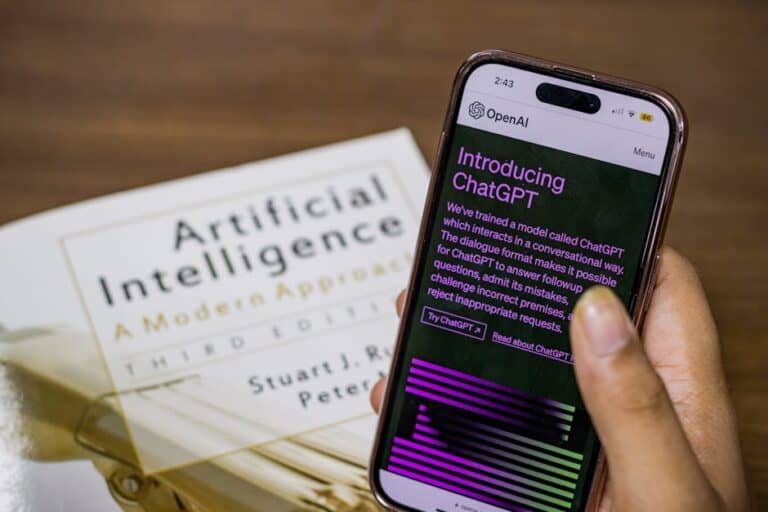
- Week 3-4: Try tools directly. Open ChatGPT (free version), experiment with different prompts, see what you can create.
- Week 5-6: Watch documentaries about AI. Netflix and YouTube have excellent options explaining AI’s impact on society.
- Week 7-8: Participate in communities. Reddit, Discord, Hacker News forums will keep you updated.
Cost: Completely free. Free ChatGPT and open access to educational content.
Route 2: The Career-Transitioning Professional (5-10 hours per week)
If you want to learn applied AI because you’re looking to change careers or improve your professional profile:
- Month 1: Complete a foundational course. I recommend exploring Coursera (“AI for Everyone” by Andrew Ng) or Udemy with practical courses focused on your industry.
- Month 2: Learn basic Python if you don’t know it (it’s the standard language in AI). There are hundreds of free YouTube courses.
- Month 3-4: Start with no-code tools. Learn to use ChatGPT Plus, Claude Pro, and platforms like Hugging Face.
- Month 5: Work on a small project. Identify a problem in your current area and apply AI to solve it.
Cost: Approximately $15-100 (ChatGPT Plus or paid Udemy courses).
Route 3: The Technical Student (15+ hours per week)
If you have programming experience or want to master the technical aspects deeply:
- Quarter 1: Master necessary mathematics (linear algebra, calculus, probability). Khan Academy is your ally here.
- Quarter 2: Learn advanced Python and libraries like NumPy, Pandas, Scikit-learn.
- Quarter 3: Enter deep learning. Study neural networks, TensorFlow, PyTorch. Coursera offers complete specializations.
- Quarter 4-5: Implement real projects. Kaggle provides datasets and competitions.
Cost: $200-500 in specialized courses. Computational tools may require GPU investment.
Do You Need to Know Programming to Understand AI?
Get the best AI insights weekly
Free, no spam, unsubscribe anytime
No spam. Unsubscribe anytime.
This is the question I hear most often, and the answer is nuanced: it depends on your goals.
If you want to understand AI conceptually: You don’t need programming. You can learn what it is, how it works, and how to apply it without writing a single line of code.
If you want to work with AI professionally: You’ll need programming, but you don’t necessarily need to be an expert. Python is sufficient, and there are increasingly user-friendly tools.
If you want to build AI models from scratch: Yes, you’ll need advanced mathematics and solid programming. But honestly, many professionals use libraries that abstract this complexity.
The reality of 2026: applied artificial intelligence for beginners is increasingly accessible without code. No-code platforms like AutoML allow you to create models without programming.
Fundamental Concepts You Should Know
Machine Learning
It’s the engine of most modern AI systems. The machine learns patterns from data rather than a human explicitly telling it what to do.
Example: Show a system 10,000 spam and non-spam emails. The system learns patterns and can then automatically classify new emails.
Deep Learning
It’s a subfield of machine learning that uses neural networks with multiple layers. It’s particularly good at recognizing images, understanding language, and generating content.
Example: ChatGPT uses deep learning to understand your question and generate coherent responses.
Natural Language Processing
It’s the branch of AI that understands and generates human language. It’s what makes ChatGPT, automatic translators, and voice assistants possible.
Computer Vision
It allows machines to “see” and interpret images and videos. It’s used in facial recognition, automated medical diagnosis, and autonomous driving.
The Best AI Tools for Beginners in 2026

Here I present the tools you should master first, grouped by use case:
For Text Generation
- ChatGPT (Free and Plus): The most versatile tool. Writes, summarizes, translates, codes, brainstorms. The free version is excellent for starting out. ChatGPT Plus ($20/month) gives you access to GPT-4 (better quality) and web browsing.
- Claude (Free and Pro): Alternative to ChatGPT with strength in analyzing long documents. Claude Pro ($20/month) offers more monthly usage.
- Gemini (Google): Free, integration with Google services, image analysis included.
For Image Generation
- DALL-E 3: Accessible through ChatGPT Plus. Excellent price-to-quality ratio.
- Midjourney: Very popular in creative communities. $10-120/month depending on usage.
- Stable Diffusion: Open-source option, you can run it locally for free.
For Data Analysis
- Google Colab: Free cloud Jupyter Notebooks. Perfect for learning Python and data experiments.
- Kaggle: Data competitions and public datasets. Excellent for practice.
Structured AI Study Plan: Your Complete Roadmap
To help you not get lost in the chaos of available options, I’ve created a clear structure. If you want to dive deeper, check out our article Best Artificial Intelligence Course for Beginners 2026 where we analyze each option in detail.
Level 1: Fundamentals (2-4 weeks)
Goal: Understand what AI is, its types, and its current impact.
- History and evolution of AI (2 hours)
- Types of AI (reactive, narrow, general, super) (1 hour)
- Difference between generative AI and traditional AI (1 hour)
- Current use cases across industries (2 hours)
- Ethics in AI and algorithmic bias (1 hour)
Free resources: YouTube, Medium, specialized blogs.
Level 2: Practical No-Code Tools (2-6 weeks)
Goal: Learn to use AI tools to solve real problems without programming.
- Master ChatGPT: advanced prompts, use cases (2 weeks)
- Image generation: DALL-E or Midjourney (1 week)
- Automation: Zapier, Make.com with AI (1 week)
- Simple data analysis: Google Sheets with built-in AI (1 week)
Resources: Udemy courses ($10-15), YouTube tutorials, official documentation.
Level 3: Technical Fundamentals (4-8 weeks)
Goal: Learn Python and basic machine learning concepts.
- Python for beginners (3 weeks)
- Data libraries: Pandas, NumPy (2 weeks)
- Introduction to machine learning (2 weeks)
- Your first AI model (1 week)
Resources: Coursera (AI for Everyone), Udemy Python + ML courses, free Google Colab.
Level 4: Specialization (8+ weeks)
Goal: Deepen your knowledge in a specific area based on your interests.
- NLP: Text processing, transformers, LLMs
- Computer Vision: Image recognition, object detection
- Deep Learning: Advanced neural networks, TensorFlow, PyTorch
- Applied AI: AI in your specific industry
Resources: Coursera specializations, advanced Udemy courses, academic research on ArXiv.
How Long Does It Take to Learn Artificial Intelligence?
The honest answer is: it depends on the level you’re looking for.
| Learning Level | Estimated Time | Hours per Week | Final Goal |
|---|---|---|---|
| Basic Knowledge (Curious) | 2-4 weeks | 2-3 hours | Understand what AI is and how it works |
| Competent User (Applied) | 3-6 months | 5-10 hours | Use AI tools in your profession |
| Junior Professional | 6-12 months | 15+ hours | Develop and implement models |
| Expert/Specialist | 2-5 years | 20+ hours | Research, architecture, leadership |
The key isn’t the total time, but consistency. One hour daily for 3 months will take you further than 20 hours in one weekend followed by inactivity.
Recommended Courses: Free vs Premium

Best Free AI Courses for Beginners
- “AI for Everyone” (Coursera): Andrew Ng explains AI without technical depth. Perfect for beginners. You can audit it for free.
- “Introduction to Artificial Intelligence” (MIT OpenCourseWare): Free university content. More technical but excellent quality.
- “Fast.ai Practical Deep Learning for Coders”: Top-down learning. You learn by doing from day one.
- “Complete Python for Data Science” (YouTube): Channels like DataCamp, Coursera, CodeBasics offer free complete tutorials.
Premium Courses Worth the Investment
- Coursera – Machine Learning Specialization: $39-49/month per specialization. Professionally recognized certificates.
- Udemy – Complete Machine Learning & AI Bootcamp: $15-60 (on sale). Excellent price-to-content ratio. Lifetime access.
- DeepLearning.AI – Specialized Courses: From NLP to generative AI. Around $50 each.
Practical Examples: What You Can Do TODAY
Project 1: Personal Assistant with ChatGPT
Goal: Automate written tasks using AI.
Steps:
- Open ChatGPT (free version)
- Write a structured prompt: “I am [your role]. I need [result]. Context: [relevant details]. Format: [how you want the response]”
- Iterate on the response by requesting improvements
- Apply in your work: emails, reports, brainstorming ideas
Expected result: Save 5-10 hours per week on written tasks.
Project 2: Image Generator for Your Business
Goal: Create images without hiring a designer.
Steps:
- Use DALL-E 3 (ChatGPT Plus) or Midjourney
- Describe what you need in detail: “Image of [subject] in [style] style, colors [colors], lighting [type]”
- Refine until you get what you want
- Download and use on social media, web, marketing
Expected result: Original visual content without design costs.
Project 3: Basic Data Analysis
Goal: Extract insights from data without statistical knowledge.
Steps:
- Upload your data to Google Sheets or download it to Google Colab
- Use ChatGPT to generate Python code to analyze
- Run the code and visualize results
- Interpret and make decisions based on data
Expected result: Make informed decisions without being an analyst.
Common Mistakes When Learning AI (and How to Avoid Them)
Mistake 1: Starting Too Technical
Many beginners feel obligated to learn calculus and linear algebra before touching code. Result: giving up in week 2.
Solution: Learn context first. Understand what AI solves, then how it does it, then the mathematics if you need it.
Mistake 2: Not Practicing Actively
Watching tutorials is passive. Your brain thinks it’s learning, but it’s not.
Solution: Pause the video after each concept. Recreate what you saw. Modify the code. Experiment.
Mistake 3: Ignoring Theoretical Foundations
The opposite of mistake 1. Some get obsessed with pure theory and never build anything.
Solution: Practice 70% of the time, theory 30%. Combine both.
Mistake 4: Trying to Learn Everything at Once
AI is a vast field. Deep learning, NLP, Computer Vision, Reinforcement Learning, AI ethics… it’s overwhelming.
Solution: Choose a clear route. Define your specific goal. Specialize. You’ll learn other things later.
Is It Difficult to Learn Artificial Intelligence Without Advanced Mathematics?
Here’s the truth many won’t tell you: you can learn a lot of practical AI without advanced mathematics.
Modern tools abstract mathematical complexity away. When you use scikit-learn or TensorFlow, the library does the heavy calculation. You need to understand why something works, but you don’t necessarily need to derive the equations.
That said, if you want to:
- Use AI: Minimal mathematics needed
- Understand how it works: Some linear algebra and statistics help
- Research or cutting-edge roles: Advanced mathematics are essential
For 80% of practical applied artificial intelligence for beginners, basic algebra and elementary statistics are sufficient.
AI Trends and Opportunities for 2026
The Rise of No-Code AI
No-code platforms are democratizing AI. Companies like Make.com, Zapier, and Airtable integrate AI directly. It’s not the future, it’s the present.
Specialization in Vertical Industries
Demand isn’t for “generic AI expert” but for “AI expert in healthcare”, “finance”, “manufacturing”. Combine AI with your industry.
Prompt Engineering as a Skill
Knowing how to ask ChatGPT and Claude things is a valuable job skill. It’s easier to learn than traditional programming.
AI Ethics and Regulation
Governments are regulating AI (EU AI Act, GDPR). Expertise in AI ethics and compliance is increasingly sought after.
Final Resources: Your Complete Startup Kit
To leave nothing to chance, here’s your startup checklist:
- Basic tools: ChatGPT (free), Google Colab (free), Kaggle (free)
- First course: “AI for Everyone” on Coursera (free)
- Communities: r/learnmachinelearning, AI Discord servers, Kaggle discussions
- Stay updated: Subscribe to newsletters like Hugging Face, Papers with Code, Import AI
- Networking: LinkedIn + Twitter (X) to connect with AI professionals
Conclusion: Your Artificial Intelligence Journey Begins Today
Artificial intelligence for beginners is not an inaccessible mystery. It’s a skill you can develop in a matter of weeks if you have clarity on where to start.
What we’ve covered today:
- What AI is in simple terms and how it really works
- Three learning paths based on your profile and availability
- Practical tools you can use for free right now
- A structured 4-level plan that takes you from curious to professional
- Practical examples and projects you can start now
My clear recommendation: Start this week. Don’t wait for the “perfect moment” or to have all the information. Open ChatGPT right now, experiment, learn by doing. Then, follow a structured route like I described.
If you want to dive even deeper into course options with detailed analysis of pros and cons, I invite you to check out our article on Best Artificial Intelligence Course for Beginners 2026.
Call-to-action: What’s your profile? Curious, career-transitioning professional, or student? Comment below and I’ll recommend exactly where to start. Your future in AI starts now.
Frequently Asked Questions About AI for Beginners
What is artificial intelligence explained simply?
Artificial intelligence is the ability of machines to perform tasks that normally require human intelligence. It works by processing data, identifying patterns, and using those patterns to make predictions or decisions. For example, Netflix recommends movies based on what you watched before, or a spam filter automatically classifies emails. The machine doesn’t “understand” like humans do, but follows complex mathematical rules to generate useful results.
Where do I start if I want to learn AI from scratch?
Your first step depends on how much time you have. If you have little time: start experimenting directly with ChatGPT (free), read AI articles. If you have more time: follow the Curious Explorer route (2-3 hours/week) or Professional route (5-10 hours/week) described above. The key is to start immediately with something practical, not to wait until you feel “ready”.
Do I need to know programming to understand AI?
Not necessarily. To conceptually understand what AI is and how it works, you don’t need programming. To use AI tools (ChatGPT, image generators), you don’t either. But if you want to create models or work professionally in AI, then you’ll need to learn programming, though basic Python is enough to start. Modern libraries do much of the heavy lifting for you.
How long does it take to learn artificial intelligence?
It depends on the level. For basic knowledge (understanding what AI is, how it works): 2-4 weeks. To be competent using AI tools: 3-6 months. To be a junior professional (developing models): 6-12 months of consistent study. To be an expert: 2-5 years. The most important variable isn’t total time but consistency: one hour daily beats 10 hours at once.
What are the best free AI courses for beginners?
The best include: (1) “AI for Everyone” by Andrew Ng on Coursera (auditable for free), focused on beginners without code. (2) MIT OpenCourseWare – Introduction to Artificial Intelligence, for something more technical. (3) Fast.ai – Practical Deep Learning for Coders, excellent top-down approach. (4) YouTube channels like Coursera, DataCamp, CodeBasics offering free complete tutorials. All are high quality at no cost.
What AI tools should I learn first?
Start with high-impact tools: (1) ChatGPT (free) – versatile text generation. (2) DALL-E or Midjourney – image generation. (3) Google Colab (free) – AI programming without installation. (4) Automation tools like Zapier with integrated AI. Master one deeply before moving to the next. ChatGPT Plus ($20/month) offers better access to advanced models when you’re ready.
What’s the difference between generative AI and traditional AI?
Generative AI (like ChatGPT, DALL-E) creates new content: texts, images, code. It learns patterns from huge amounts of data and generates original responses. Traditional AI solves specific problems with predefined rules: recommendation systems, spam filters, medical diagnostics. Generative AI will surprise you; traditional AI will be predictable. In 2026, generative AI dominates the news, but both are valuable depending on the use case.
Where can I find a structured AI study plan?
We’ve provided one in this article: a 4-level plan (Fundamentals, No-Code Tools, Technical Foundations, Specialization) that progresses logically. Alternatives: Coursera specializations are structured sequentially. Udemy offers courses with defined curriculum. For something more self-directed, GitHub has community roadmaps (search “AI Learning Roadmap”). The key is to choose one and complete it rather than jumping between 10 options.
Is it difficult to learn artificial intelligence without advanced mathematics?
It’s not difficult if your goal is to use and apply AI. Modern tools abstract away complex mathematics. You need to understand conceptually what they do (for example, how a neural network learns), but you don’t need to derive equations. Basic algebra and elementary statistics are enough for 80% of practical applications. If you want cutting-edge research or roles like Machine Learning Research Scientist, then advanced mathematics are necessary. But for applying AI in your profession: it’s completely accessible.
Looking for more tools? Check our selection of recommended AI tools for 2026 →
If you’re interested in this topic, don’t miss our guide on Artificial intelligence for beginners 2026: learn from scratch without needing programming.
Related article: Grammarly vs ChatGPT Plus for professional writing: which to choose based on your job in 2026
AI Guide — Our content is developed from official sources, documentation, and verified user opinions. We may receive commissions through affiliate links.
Related article: Generative AI vs predictive for beginners: which you need based on your job in 2026
Explore the AI Media network:
Looking for more? Check out Top Herramientas IA.