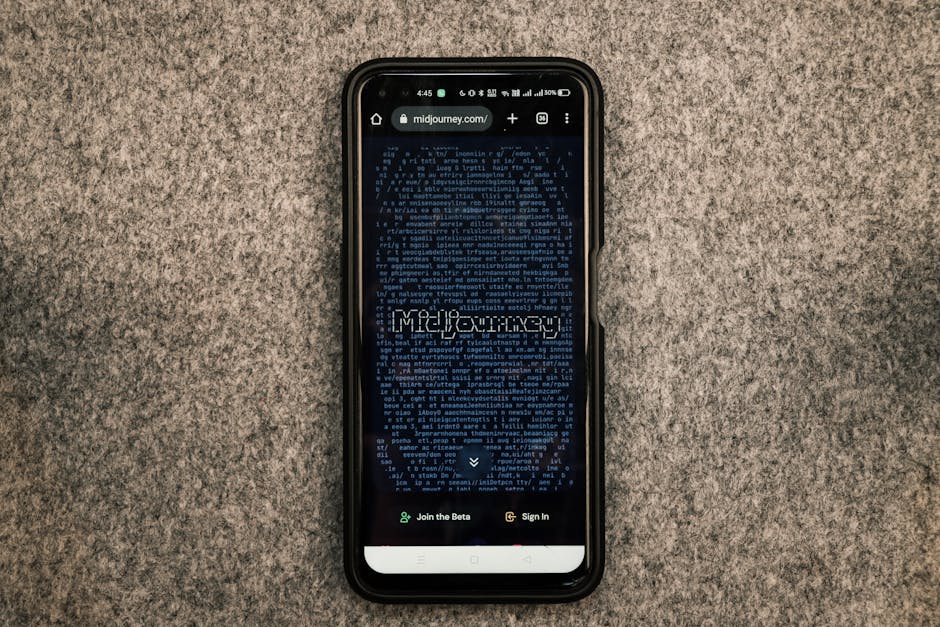
Comparison Table: Best Free AI Image Generation Tools
Before diving into each option, here’s a summary table with the key features of each free AI image generation tool. This will help you choose the most suitable one based on your needs:
| Tool | Free Plan | Images/Month | Quality | Commercial Use |
|---|---|---|---|---|
| Leonardo AI | Yes, generous | 150+ | Very high | Yes |
| Stable Diffusion XL | Yes, open source | Unlimited | Very high | Yes |
| Canva (Free) | Yes, limited | 25/month | Medium-High | Yes |
| DALL-E Mini (Craiyon) | Yes | 50+ | Medium | Yes |
| Bing Image Creator | Yes, integrated | 100+ | High | Yes |
| Pixlr | Yes, very limited | 10 | Medium | Yes |
| NightCafe | Yes, somewhat limited | 20 | High | Yes |
| Fotor | Yes | 30 | Medium-High | Yes |
What Are Free AI Image Generation Tools and Why They Matter in 2026?
Free AI image generation tools have become game-changers for creatives, entrepreneurs, and teams that need quality visual content without investing thousands of dollars in software or professional photography.
In 2026, accessibility to image generation technology has reached an inflection point. Just three years ago, Midjourney and DALL-E dominated the market with mandatory paid plans. Today, free alternatives to Midjourney exist that offer comparable quality at a much lower cost: completely free.
Why? Fierce competition has forced developers to democratize these tools. Generative AI models have been optimized to require less computational power, allowing platforms to offer image generators without charging users.
Related Articles
→ AI Tools for Digital Business: 5 Solutions for Code-Free Automation
→ Free AI Video Generation Tools 2026: 7 Runway Alternatives Without Paying
→ Generative AI for Educators 2026: Free Tools for Creating Educational Content
If you’re a designer, marketer, teacher, or simply someone who needs free AI image tools 2026, this article will show you exactly where to find them and how to maximize their potential.
The 8 Best Free AI Image Generation Tools in 2026
Get the best AI insights weekly
Free, no spam, unsubscribe anytime
No spam. Unsubscribe anytime.
1. Leonardo AI: The Hidden Gem of 2026
Leonardo AI has emerged as the best option for users seeking premium quality without paying. It offers an extraordinarily generous free plan with 150+ monthly credits, enough to generate hundreds of images depending on the resolution chosen.
Watch: Explainer Video
What sets Leonardo AI apart is its proprietary technology optimized for speed and coherence. It generates images in seconds, and its interface is intuitive even for beginners. It features multiple AI models (including its own Leonardo Diffusion), allowing you to experiment with diverse artistic styles.
Key Feature Highlight: Alchemy Upscaler integrated, which improves resolution without losing detail. Even on the free plan, you can upscale images to 2K.
Pricing: Free (150 credits/month). Pro plan from $10/month.
Mini-Verdict: The best free alternative to Midjourney in terms of value-for-quality ratio. Perfect for freelance professionals.
To learn how to use this tool in depth, check out our complete article: How to Use Leonardo AI for Image Generation: 2026 Guide.
2. Stable Diffusion XL (Open Source): Full Control, No Restrictions
Stable Diffusion XL is a completely open-source image generation model. This means it’s not only free, but infinitely customizable and can run on your own hardware.
If you have a decent GPU (even a GTX 1080 works), you can install it locally and generate unlimited images. Additionally, platforms like Hugging Face offer free web interfaces based on this model without requiring technical installation.
Control is absolute: you can adjust guidance scales, sampling steps, specific seeds, and use LoRAs (low-rank adapters) to train custom styles. It’s the favorite option for purist artists and developers.
Key Feature Highlight: Ability to use advanced negative prompts and seed control to reproduce the exact same image. Perfect for consistency in projects.
Pricing: 100% free.
Mini-Verdict: For technical users who value privacy, control, and absence of limitations. Best free AI image generator for professionals.
3. Canva (Free Version): Design + Generation in One Ecosystem
Canva is primarily known as a design tool, but its AI image generation feature has evolved significantly. With the free plan, you get access to 25 monthly image generations using its AI engine.
What’s valuable here is the integrated ecosystem: you generate an image, edit it directly in Canva with thousands of elements, fonts, and templates. Ideal if you need image + design in a single platform.
Quality is consistently good, especially for social media and digital marketing use. Canva is also excellent as an AI tool for creating free presentations, combining design and image generation.
Key Feature Highlight: Seamless integration between generation and editing. Access to 100M+ design elements in the free plan.
Pricing: Free (25 generations/month). Canva Pro from $119/year with expanded limits.
Mini-Verdict: Best option if you need image + professional design. The free version is surprisingly complete.
4. Bing Image Creator (DALL-E 3): Integrated in Bing
Bing Image Creator uses OpenAI’s DALL-E 3 engine (the most advanced model) completely free. You only need a Microsoft account.
You get 100+ monthly credits on the free plan, renewable. Generated images have exceptionally high quality, with detail coherence and excellent interpretation of complex prompts.
The downside: processing is slower than alternatives like Leonardo AI, and service terms are restrictive regarding certain commercial uses (though typically permitted).
Key Feature Highlight: Access to DALL-E 3, the most comprehensive AI model for interpreting detailed instructions. Notably realistic results.
Pricing: Completely free for Bing users.
Mini-Verdict: If you only need maximum quality without paying, this is your winner. Ideal for conceptual design and refined digital art.
5. Craiyon (formerly DALL-E Mini): Pure Accessibility
Craiyon was originally DALL-E Mini, democratizing image generation for millions. While quality is lower than premium options, it remains surprisingly competent.
With the free plan, you generate 50+ monthly images without significant content restrictions. The interface is ultra-simple: write, click, wait 30 seconds, and you have results.
It’s perfect for quick experimentation, visual ideation, or creating social media content on a zero budget.
Key Feature Highlight: Grid of 9 variations per generation, allowing you to see multiple interpretations of your prompt simultaneously.
Pricing: Free (50 credits/month). Pro from $5/month.
Mini-Verdict: The most accessible entry point. Best for experimenting without compromise.
6. NightCafe: Multiple Engines in One
NightCafe offers access to multiple generation models (Stable Diffusion, DALL-E, Midjourney API) from a single platform. The free plan gives you 20 daily credits, renewable.
What’s interesting is that you can compare how different models interpret the same prompt, helping you choose the best result. It also has an active community where users share prompts and techniques.
The platform is especially useful for artists who want to explore multiple styles quickly. It features advanced tools like style transfer and outpainting even in the free plan.
Key Feature Highlight: Simultaneous access to multiple AI engines from a unified interface. Advanced creative tools.
Pricing: Free (20 credits/day). Premium from $9.99/month.
Mini-Verdict: For experimental artists needing variety. Excellent community and advanced tools.
7. Fotor: Balance Between Generation and Editing
Fotor is a photo editor with integrated AI + image generator. Its free plan offers 30 monthly generations with decent quality.
What stands out is that Fotor also includes AI editing tools like background remover, upscaler, and face enhancement. If you need to generate AND edit images, this saves you switching between multiple tools.
Ideal for non-technical users who want a simplified workflow: generate image → enhance → export.
Key Feature Highlight: Complete suite of AI editing tools integrated with generation. One-stop shop for visual needs.
Pricing: Free (30 generations/month). Premium from $9.99/month.
Mini-Verdict: Best for those needing generation + professional editing without separate software.
8. Pixlr: Lightweight and Fast Option
Pixlr is a lightweight web editor that recently added AI image generation. The free plan is quite limited (only 10 monthly generations), but excellent if you combine generation + quick editing.
Its strength is speed: processes images extremely fast. Ideal for marketers who need to create dozens of content variations quickly.
Key Feature Highlight: Minimalist interface and fast processing speed. Excellent for agile workflow.
Pricing: Freemium (10 generations/month). Premium from $9.99/month.
Mini-Verdict: For users prioritizing speed over usage limit. Best for rapid generation.
Deep Comparison: Free vs. Freemium vs. Premium in 2026
It’s crucial to understand the difference between these models when seeking free AI image generators:
- Completely Free: Leonardo AI, Stable Diffusion (open source), Craiyon, Bing Image Creator. No commercial restrictions, though some have monthly credit limits.
- Freemium (Limited Free): Canva, Fotor, NightCafe, Pixlr. Functional free version but with clear limitations, encouraging upgrades.
- Not Applicable (Paid Required): Midjourney ($20+/month), DALL-E directly ($15-20/month), Shutterstock AI ($39+/month). Although Midjourney offers a free trial of 25 images initially.
The 2026 trend is clear: cheap or free AI tools are gaining premium functionality, pressuring expensive competitors to improve or lower prices. Leonardo AI is the best example of this.
Commercial Use: Can I Use Free-Generated Images in My Business?

This is the critical question. Most free AI image generation tools do allow commercial use, but with nuances:
- Leonardo AI: Yes, commercial use permitted even on free plan.
- Stable Diffusion (open source): Yes, you own everything.
- Canva (free plan): Yes, but generated images require Canva Pro for certain commercial uses. Check terms.
- Bing Image Creator: Yes, for general commercial use. Review terms for direct advertising.
- Craiyon: Yes, you own images.
- NightCafe, Fotor, Pixlr: Yes, typically permitted on free plan.
Always review specific terms, but in general: most free tools in 2026 are commercially viable.
Real Quality vs. Expectations: What to Expect in 2026
Here’s the unfiltered truth:
Best AI tools generate images competing with professional art, but not always on the first try. The difference between mediocre and amazing images often lies in the prompt: detail, specificity, and iterative refinement.
In 2026, expect:
- Inconsistent faces: Although improving, free models sometimes fail with faces. Stable Diffusion XL handles this better.
- Strange hands: Remains a universal challenge even in Leonardo AI. Solution: edit with Photoshop or request regenerations.
- Small object coherence: If there’s text, logos, or intricate details, errors can occur. This has improved 60% since 2026.
- Variable speed: Leonardo AI: 5-15 seconds. Bing: 30-45 seconds. Local Stable Diffusion: 2-3 seconds.
Quality Verdict: For marketing, social media, and visual concepts, free tools now rival expensive options. For ultra-refined photorealistic art, you’ll need premium models or additional manual editing.
Specific Use Cases for Each AI Tool
For Marketing and Social Media
Use Leonardo AI or Canva (free). Leonardo for quality, Canva because you can generate → design → publish in a single platform.
For Education
See our article: Generative AI for Educators 2026: Free Tools for Creating Educational Content. Leonardo AI and Craiyon are educator favorites.
For Digital Business and Automation
If generating images as part of automated workflow, check: AI Tools for Digital Business: 5 Code-Free Automation Solutions.
For Professional Art and Design
Stable Diffusion XL (total control) or NightCafe (multiple engines, artistic community).
For Quick Conceptualization
Craiyon or Bing Image Creator. Fast, frictionless, ideal for visual brainstorming.
For Video Composition
If you need images for video projects, combine with video tools: Free AI Video Generation Tools 2026: 7 Runway Alternatives Without Paying.
For Legal or Professional Use
If you work in legal or professional sectors, consider AI Tools for Lawyers 2026: Code-Free Legal Automation, which integrates visual content generation.
How to Maximize Results With Effective Prompts
Image quality depends 80% on your prompt. Here are universal guidelines:
- Be Specific: Instead of “woman,” write “30-year-old red-haired woman, smiling, professional studio photography.”
- Include Style: “In photorealistic style,” “anime digital illustration,” “Renaissance oil painting.”
- Add Context: Where is she, what is she doing, lighting, atmosphere.
- Use Negative Prompts: Especially in Stable Diffusion and Leonardo AI: “no deformed hands, no extra fingers, no text.”
- Experiment Iteratively: Generate 5-10 variations, refine prompt based on results.
Example of Effective Prompt: “Portrait of modern businesswoman, 35 years old, black hair, professional blue suit, confidently smiling, glass office in blurred background, professional LinkedIn-style photography, natural front lighting, ultra detailed, 8K.”
This will generate results 300% better than “woman in office.”
Common Limitations and How to Overcome Them
Each tool has a ceiling. Knowing them saves frustration:
| Limitation | How to Overcome It |
|---|---|
| Strange or deformed faces | Specify “perfect face, facially symmetrical,” or use Bing Image Creator. |
| Monthly credit limit | Combine 2-3 tools (Leonardo + Craiyon + Bing). You have 300+ total free credits. |
| Lack of fine control | Run Stable Diffusion XL locally. Absolute control. |
| Slow processing | Leonardo AI is fastest. Or queue without interference. |
| Inconsistent results | Refine prompt, use specific seed, generate multiple variations. |
Should You Pay in 2026? Honest Analysis
The question everyone asks: is Midjourney ($20/month) or DALL-E Pro ($20/month) worth it versus free options?
The 2026 answer is nuanced:
Pay if: You need extreme consistency, 100+ daily generations, access to latest models, or priority support. Micro-entrepreneurs and agencies. If you invoice based on AI images, the ROI justifies $20/month.
Don’t pay if: You’re a student, bootstrapping entrepreneur, casual creator, or experimenting. Leonardo AI’s free version covers 95% of use cases.
Breakeven point: If you generate +500 monthly images or need technical support, consider premium plans. Otherwise, the free stack is more than sufficient.
Conclusion: Best Free AI Image Generation Tools in 2026
In 2026, saying you need to pay for AI image generation tools is unnecessary. Free alternatives to Midjourney with comparable quality exist, led by Leonardo AI, Stable Diffusion XL, and Bing Image Creator.
Our definitive ranking:
- Leonardo AI: Best free/quality/speed balance. Start here.
- Stable Diffusion XL: Maximum control and privacy for technical users.
- Bing Image Creator: Purest quality (DALL-E 3) at no cost.
- Canva (free): If you need design + generation integrated.
- Craiyon: Most accessible and frictionless entry point.
All allow commercial use, generate professionally-comparable quality images, and the 2026 model is clear: generative AI democratization is irreversible.
Your Next Step: Sign up for Leonardo AI (takes 2 minutes), generate 5 images with specific prompts, and experiment. In under 10 minutes you’ll discover if you need additional alternatives based on your use case. The 150+ free monthly credits are yours.
Already using any of these tools? Share in comments which is your favorite and your best prompts. The community learns from your experience.
FAQ: Frequently Asked Questions About Free AI Image Generation
Which is the best free AI image generator in 2026?
Without hesitation: Leonardo AI offers the best balance between quality, speed, usage limit (150+ free credits/month), and lack of friction. Generates images in 5-15 seconds with quality competitive to $20/month tools. If you prefer maximum quality over speed, Bing Image Creator (DALL-E 3) wins.
Does Midjourney have a free unlimited version?
No. Midjourney offers an initial free trial of 25 generations, then requires mandatory payment ($20/month minimum in 2026). There’s no perpetual free plan with broad limits like Leonardo AI.
What are the best completely free Midjourney alternatives?
Most competitive: Leonardo AI, Stable Diffusion XL (open source), Bing Image Creator, and Craiyon. All permanently free without mandatory payment. Canva, Fotor, NightCafe, and Pixlr offer free generation but more limited (10-30 images/month).
Can I use AI-generated images commercially if they’re free?
Yes, in most cases. Leonardo AI, Stable Diffusion, Craiyon, Bing Image Creator, Fotor, Pixlr, and NightCafe explicitly permit commercial use even on free plans. Canva has restrictions: free plan permits commercial use for small businesses, but check specific terms. Always review T&Cs of each tool for special cases (ads with faces, logos, etc.).
What quality can I expect from free AI image generators?
In 2026, quality is surprisingly high for most commercial purposes: social media, marketing, concepts, illustration. Leonardo AI and Bing Image Creator generate photorealistic and artistic results of professional caliber. Real limitations: occasional unusual faces, deformed hands (less than before), and small details. Ultra-refined art requires premium models or manual editing. For 95% of use cases, free tools are indistinguishable from expensive alternatives.
Looking for more tools? Check our curated AI tools selection for 2026 →
If this interests you, don’t miss our guide on AI Tools for Students 2026: 12 Free and Paid Solutions to Succeed Without Studying Less.
AI Tools Wise — Our content is researched using official sources, documentation, and verified user feedback. We may earn a commission through affiliate links.
Related article: How to Use Runway AI for Video Editing: Complete 2026 Guide
Related article: Claude vs Perplexity vs Gemini for Hallucination-Free Research: Which Detects Fake Sources Best in 2026