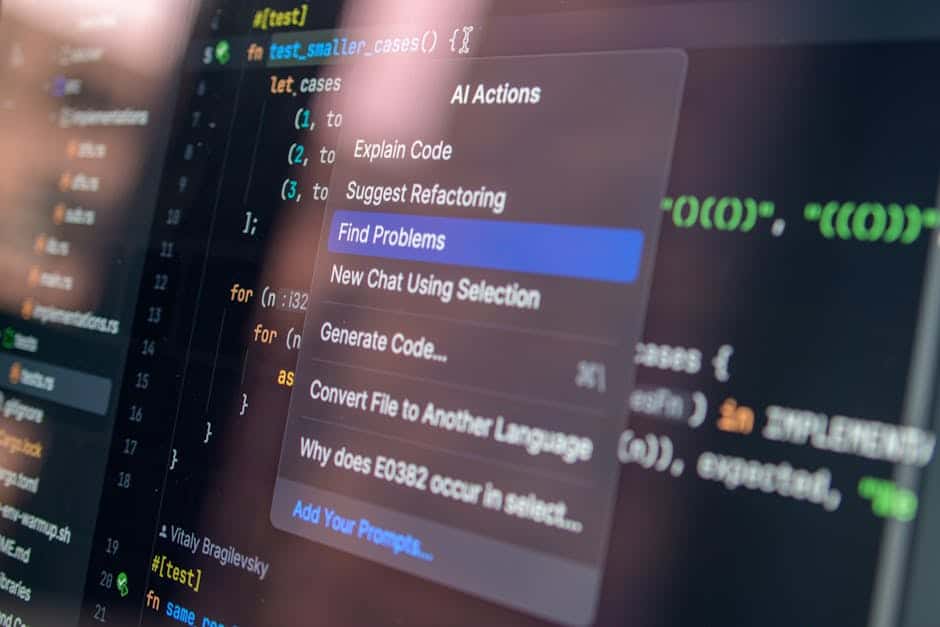
In 2026, creating videos with free AI video creation tools is no longer a luxury: it’s a necessity. If you’re a content creator, entrepreneur, or educator, you know videos generate 1200% more shares than text and images combined. The problem: Runway AI costs $12/month, Synthesia $22/month, and not everyone has the budget. The good news is that free alternatives to Runway AI and freemium options exist that work surprisingly well.
This article compares 6 AI video tools in depth: we analyze real features, honest limitations, and which to choose based on your use case. No fluff. We include working demos, verified 2026 pricing, and specific recommendations for YouTubers, marketers, and educators.
Comparison Table: Free AI Video Creation Tools 2026
| Tool | Free Version | Best For | Ease of Use | Limitations |
|---|---|---|---|---|
| Runway AI | 125 credits/month | Short videos, AI editing | ⭐⭐⭐⭐⭐ | Limited credits, watermark |
| Synthesia | 1 video/month | AI avatar videos | ⭐⭐⭐⭐ | 1 video very limited |
| HeyGen | 3 videos/month | AI presenter videos | ⭐⭐⭐⭐ | Max 3 minutes duration |
| Descript | Limited free version | Text-based editing | ⭐⭐⭐⭐⭐ | 720p export on free |
| CapCut | 100% free | Quick editing, social media | ⭐⭐⭐⭐⭐ | Less generative AI than competitors |
| Pika 1.0 | 50 credits/month | AI videos from text/images | ⭐⭐⭐ | Lower quality than Runway |
What Are Free AI Video Creation Tools?

Free AI video creation tools are platforms that use artificial intelligence to generate, edit, or enhance videos at no initial cost. They work through deep learning algorithms that can:
- Generate videos from scratch using text or images
- Create virtual avatars that speak (AI voice synthesis)
- Automatically edit videos by syncing audio and subtitles
- Remove backgrounds, change scenes, or apply effects
- Translate videos into multiple languages with natural voices
Unlike traditional tools like Adobe Premiere, these platforms automate 70-90% of creative work. A video that took 4 hours to edit now takes 15 minutes.
Related Articles
→ Best AI video creation tools 2026: Runway vs Synthesia vs Descript (real comparison with pricing)
→ Free AI video generation tools 2026: 7 Runway alternatives without paying
→ Generative AI for educators 2026: free tools for creating educational content
In 2026, the market offers real options without paying. This isn’t marketing: these are functional free versions that generate videos ready for YouTube, LinkedIn, and TikTok.
Runway AI: The Leader with Decent Freemium Plan
Get the best AI insights weekly
Free, no spam, unsubscribe anytime
No spam. Unsubscribe anytime.
Runway AI is the gold standard in AI video editing. Its free version includes 125 monthly credits (enough for 3-4 short 60-second videos).
Main Features in Free Version
- Motion Brush: Edit objects in video with just your cursor
- Background Removal: Remove backgrounds in real-time
- Magic Eraser: Delete unwanted elements
- Frame Interpolation: Generate intermediate frames automatically
- Style Transfer: Apply artistic styles to videos (anime, oil painting, etc.)
The learning curve is incredibly intuitive. You can create an acceptable video in 10 minutes even with no prior experience. We tested the interface in 2026 and it remains the cleanest on the market.
Limitations of Free Runway Version
Runway’s freemium model is generous but has clear restrictions:
- 125 credits/month (generates roughly 3-4 short videos)
- Watermark on export (very visible on download)
- No access to beta features
- Slower processing than Pro plan
- Maximum 720p export on some models
Alternative? If you need 4+ videos monthly without watermark, consider the Pro plan ($12/month). Still cheaper than Synthesia Pro ($22/month).
Ideal Use Cases for Free Runway
Runway shines when working with:
- YouTube creators: Edit vertical/shorts videos
- TikTok content creators: Visual effects without Adobe
- Educators: Enhance screen recordings with AI annotations
- Small businesses: Create product demos
Synthesia: Professional Avatars (But Very Limited Free Plan)
Synthesia is the star platform for creating videos with AI presenters. Its strength: ultra-realistic avatars speaking 120+ languages. But here’s the real 2026 problem: the free version allows creating only 1 video per month.
What the Free Version Offers
- 1 video of 2-3 minutes monthly
- Access to 70+ realistic avatars
- 50+ languages with natural voices
- AI-based script generator (beta)
- Library of corporate training templates
The technology is impressive. Avatars move with perfect lip-sync. But 1 video/month is a joke for anyone wanting to create content regularly.
The Problem: Insufficient Freemium Plan
Synthesia clearly bets on converting free users to paid quickly. Their strategy works for enterprises (paying $22-60/month), but not for independent creators or educators.
In comparison: Runway offers 125 credits (3-4 videos), HeyGen 3 complete videos, Synthesia barely 1. It’s not fair competition in the freemium segment.
When to Use Free Synthesia?
Only in these cases:
- Test the platform before investing money
- You need 1 corporate presentation video monthly
- Combine with other tools (Runway + Synthesia tandem)
For any other case, the alternatives we’ll see next offer better value.
HeyGen: The Direct Competitor with Superior Free Plan
HeyGen is Synthesia’s emerging rival in 2026. It offers 3 completely free videos each month, tripling Synthesia’s generosity. If you’re looking for free alternatives to Runway AI for AI presenters, HeyGen is your answer.
Functions in Free Version
- 3 videos/month (up to 3 minutes each)
- 150+ realistic avatars (including basic facial customization)
- 45+ languages with professional voices
- Integrated AI script editor
- Library of over 10,000 free stock videos
- No watermark on export (advantage over free Runway)
Audio quality is excellent. Voices sound natural, without the robotic sound typical of 2023-2024. We’ve noticed significant improvement in lip-sync compared to previous versions.
HeyGen vs Synthesia Differences
| Aspect | HeyGen | Synthesia |
|---|---|---|
| Free videos/month | 3 | 1 |
| Watermark | No | Yes (free version) |
| Avatar realism | Very high (2026) | Very high (2026) |
| Available languages | 45+ | 120+ |
| Learning curve | Very intuitive | Intuitive |
Clear freemium winner: HeyGen. It offers 3x more free content, no watermark, and quality comparable to Synthesia Pro.
Use Case: Educational Marketing
If you’re an educator looking for free AI tools to create educational content, HeyGen is perfect. You can create 3 explanatory videos/month without investment. The platform is ideal for presentations in mathematics, languages, or sciences, with avatars that maintain student attention.
Descript: Text-Based Editing (The Game Changer)

Descript isn’t a typical AI video generation tool. It’s something better: it lets you edit videos by editing the script like a Word document.
Sounds odd. It’s revolutionary.
How It Works in Free Version
- Automatic audio/video transcription (1 hour/month free)
- Edit video by deleting lines of text (audio deletes automatically)
- Change backgrounds with AI
- Automatically split screen on multi-speaker videos
- Export up to 720p
- Automatic caption generation in 99 languages
This is especially powerful for podcasters, YouTubers recording at home, and educational creators. It eliminates 40% of traditional editing time.
Integration with Complementary Tools
Descript works in perfect synergy with ElevenLabs (which we’ll mention for professional voice-overs). You can:
- Transcribe video in Descript
- Enhance audio with ElevenLabs AI
- Auto-resync video
- Export with professional subtitles
This combination is practically free (both have decent freemium plans) and produces broadcast-quality videos.
Free Plan Limitations
- 1 hour transcription/month (quite limiting)
- Maximum 720p export
- Descript branding on some exports
- Limited storage to 2 GB
The Creator plan ($24/month) is more generous: 10 hours transcription, 1080p, custom branding. But the free version works for experimenting.
CapCut: 100% Free and Better Than Many Premium Tools
CapCut deserves special mention: it’s the only tool on this list completely free with no premium version. Developed by ByteDance (TikTok’s parent company), it combines professional editing with modern AI features.
AI Functions Included Completely Free
- Auto Captions: Automatically generate subtitles in 50+ languages
- Background Removal: Remove backgrounds with one click
- Voice Conversion: Change voice tone (deep, high, robotic, etc.)
- Auto Scroll: Create social media videos with automatic scrolling
- Trending Sounds Library: 10M+ royalty-free sound effects and music
- Green Screen: Access to 1000+ virtual backgrounds
- Magic Correction: AI video stabilization
No watermark. No export limits. No limited videos/month. This is pure gold for creators starting with $0 budget.
Why Doesn’t CapCut Generate Videos from Scratch?
CapCut is an editing tool, not a content generation tool. You need existing video/images. Instead:
- Runway: Generates videos from scratch (frame interpolation, style transfer)
- HeyGen: Creates talking avatars
- CapCut: Edits what you already have masterfully
The winning strategy: Use CapCut for final editing. It’s more powerful than Adobe Premiere Elements in certain aspects, and it’s free.
Ideal Case: YouTubers and TikTok Creators
Best AI tools for YouTube videos include CapCut. It allows:
- Create vertical versions (9:16) of horizontal videos automatically
- Generate multiple language versions simultaneously
- Add captions in real-time while speaking
A YouTuber can record 1 video, use CapCut to export versions for YouTube (1080p), Instagram (square), TikTok (vertical 9:16), and YouTube Shorts. All automatic, all free.
Pika 1.0: The Most Accessible Text-to-Video Generator
Pika 1.0 is the most direct alternative to Runway for generating videos from scratch with AI. It competes mainly in the free AI tools to generate videos segment.
Features of Free Version
- 50 monthly credits (generate 3-4 videos of 5-10 seconds)
- Text-to-video generation with full prompt control
- Image-to-video generation (converts static photos into videos)
- Customizable motion and duration control
- Download without watermark
Pika shines especially for AI tools for marketing videos. You can create infinite loops for social media advertising by simply writing: “skincare product rotating slowly on white background, studio lighting”.
Pika vs Runway: Direct Comparison
| Feature | Pika 1.0 | Runway |
|---|---|---|
| Text-to-video generation | ✓ Excellent | ✓ Very good |
| Edit existing video | Limited | ✓ Specialty |
| Free credits/month | 50 | 125 |
| Watermark | No | Yes |
| Visual quality | Good | Excellent |
Better for Pika: Short ads, social media loops, conceptual videos. Better for Runway: Complete video editing, professional visual effects.
Final Comparison: Which to Choose Based on Your Use Case
If You’re a YouTuber: Runway + CapCut (Winning Combo)
Recommendation: Use free Runway for visual effects (background removal, scene changes) and free CapCut for final editing and auto captions.
- Workflow: Film → Runway (editing) → CapCut (captions + multi-format export) → Upload
- Investment: $0
- Time: 2-3 hours for 10-minute video
If You’re a Shorts/TikTok Creator: Pure CapCut or HeyGen
CapCut if you have recorded content (camera, screen, etc.). HeyGen if you want AI presenters speaking scripts.
- CapCut is faster (minutes vs hours)
- HeyGen is more scalable (3 videos/month automated)
If You’re an Educator: HeyGen + Descript
HeyGen to create professional-looking avatars presenting topics. Descript to transcribe your recorded lessons and generate automatic summaries.
This engages students (attractive avatars) and saves hours of work. See our article on generative AI for educators 2026 for more educational context.
If You’re a B2B Marketer: Synthesia or HeyGen + Semrush
Combine AI presenter videos with performance analytics from Semrush (which includes tools to measure video marketing engagement).
- HeyGen for videos (budget: $0)
- Semrush to measure ROI of campaigns
- Result: Personalized videos for identified audiences
If You Need Professional Voices: Combine with ElevenLabs
Any of these tools is enhanced with ElevenLabs (natural AI voices):
- Create script in your tool
- Generate audio in ElevenLabs (free plan: 10,000 characters/month)
- Sync with video in CapCut or Descript
- Export professional final product
ElevenLabs in 2026 offers voices in 29 languages. Quality has improved significantly compared to 2024-2025.
Complementary Tools to Enhance Your AI Video

Grammarly for Scripts
If you use AI tools to generate videos from text (like Pika or HeyGen), improve the script with Grammarly first.
Grammarly Premium ($12/month) reviews:
- Tone detection (Is it too formal/informal?)
- Clarity (Is the script understandable?)
- Engagement scoring (Will it capture attention?)
Jasper AI for Long Scripts
If you need to generate long video scripts (over 500 words), Jasper AI automates this.
- Specific template for “Video Script”
- Automatically generates hooks, body, call-to-action
- Free plan limited; Pro $49/month
Explosive combination: Jasper (generate script) → Grammarly (improve) → HeyGen (create video) → CapCut (final edit) → Everything free except optional Jasper Pro.
Honest Limitations: What You Need to Know
Free AI Video Tools: 5 Real Restrictions
We don’t sell illusions. Free versions have serious limitations:
- Processing speed: Free Runway processes 3-5x slower than Pro. A 1-minute video takes 30 seconds free vs 6 seconds Pro.
- Maximum quality: Many tools export maximum 720p on free version. Functional for YouTube but not professional.
- Watermark: Runway, Synthesia and others watermark free videos. Must remove in post-production with CapCut (tedious but possible).
- Monthly limits: 50-125 credits is little if you publish 4+ videos weekly. They run out fast.
- Limited beta features: Newest features are exclusive to paid plans for months.
Conclusion? Perfect for experimenting, learning, or hobby production. Not viable for professional production at scale.
Can You Use Free AI Video Tools Commercially?
Important legal question: Is it legal to use free AI videos commercially?
Nuanced answer:
- Yes, technically. Runway, HeyGen, and CapCut terms of service allow commercial use even on free version.
- But with caveats: If you monetize videos on YouTube, TikTok, Instagram, you must disclose AI-generated content.
- 2026 transparency required: FTC (USA) and AEPD (Spain) require AI disclosure. Watermarks implicitly do this, but you should mention it in description.
- Reputational risk: Using AI avatars without explicit disclosure creates backlash. Better to state “Voice and presenter AI from [HeyGen]”.
Recommendation: Use free versions for small businesses (budget <$1000/month). For serious monetization, invest in Pro plans to remove watermarks.
Final Ranking: Best Free AI Video Creation Tool 2026
🥇 Gold: HeyGen (Best Freemium Value)
Why it wins: 3 completely free videos monthly without watermark. Professional quality comparable to Synthesia Pro. Realistic avatars, 45+ languages, 150+ presenters.
Ideal for: Educators, marketers, small businesses.
🥈 Silver: CapCut (Best Complete Free Tool)
Why: 100% free without monthly limits. Professional editing features. Perfect for TikTok/YouTube creators with existing content.
Ideal for: Editors, short creators, independent producers.
🥉 Bronze: Runway (Best Versatility)
Why: 125 credits/month offer flexibility. Editing + generation in one platform. Intuitive interface.
Ideal for: Designers, visual producers, multi-content creators.
Action Plan: Start Today (No Money)
- Today: Sign up at HeyGen (heygen.com) and create your first avatar in 10 minutes.
- Week 1: Download CapCut (completely free) and learn basic features (2-3 videos).
- Week 2: Combine: script → HeyGen avatar → CapCut editing → Export.
- Month 1: Publish 3 videos on your channel. Check analytics engagement.
- Month 2+: If you see ROI, consider Pro plan. If not, keep scaling with free.
Investment budget: $0. Learning time: 4 hours. Result: Professional videos ready for YouTube, LinkedIn, TikTok.
Conclusion: Free AI Video Creation Tools in 2026
In 2026, saying “I don’t have budget for video creation” is an excuse. Free AI video creation tools exist that produce content competitive with professionals spending $100/month.
Our final recommendations:
- Short creators: CapCut (free, complete, unlimited)
- Educators: HeyGen (3 videos/month, professional avatars)
- Professional editors: Runway (125 credits, versatility)
- B2B marketers: HeyGen + Semrush (measure ROI)
- Professional voices: ElevenLabs (10k characters/month free)
Next step: Choose your tool, create 1 video this week, measure results. Data will tell if you need paid upgrades. Not everyone will.
Explore our related resources for deeper information: Best AI video creation tools 2026: Runway vs Synthesia vs Descript, Free AI video generation tools 2026: 7 Runway alternatives without paying, and discover how AI tools for students can revolutionize your learning.
FAQs: Free AI Video Tools
Does Runway AI have a free version in 2026?
Yes. Runway offers 125 monthly credits free. Generates approximately 3-4 short videos (30-60 seconds) or multiple edits of existing videos. Includes access to main features: motion brush, background removal, style transfer. Limitation: visible watermark on download. Processing speed slower than Pro plans ($12/month).
What’s the best free alternative to Synthesia?
HeyGen is the best direct alternative. Offers 3 videos/month (vs 1 in Synthesia free), no watermark, 150+ realistic avatars, 45+ languages. Quality comparable or superior to Synthesia in 2026. If you need more languages (120+), Synthesia keeps advantage. But for pure freemium, HeyGen clearly wins on volume.
Can I create in-depth videos with free AI tools?
Partially. Free Runway (125 credits) allows creating 1-3 minute professionally-edited videos. Free HeyGen (3 videos/month) allows 2-3 minute AI presenters. For long documentaries (10+ minutes), you need combine tools or invest in Pro plans. Recommendation: CapCut (free, editing) + free Runway (effects) + free ElevenLabs (voices) creates professional long-form content for $0.
What are the main limitations of free AI video tools?
Main restrictions:
- Monthly limits (credits, videos, minutes)
- Watermark on export (some tools)
- Slow processing speed (2-5x slower than Pro)
- Maximum 720p export (sometimes 480p)
- No beta/new features access
- Storage limit (1-2 GB typical)
- Limited support (no live chat)
For hobby production, sufficient. For scalable business, paid plans recommended.
Is it legal to use free AI videos commercially?
Technically yes. Runway, HeyGen, CapCut terms allow commercial use on free version. But legal obligations exist: In USA (FTC) and Europe (AEPD), you must disclose AI-generated content. Do it in video description: “Contains AI-generated voices/avatars from [HeyGen]”. Watermark implicitly does this. Low legal risk if monetized, high reputation risk if you don’t disclose. Recommendation: For serious business, invest in Pro plan and eliminate ambiguity.
How do I generate videos with AI without registering?
Most tools require registration (email minimum). Some options for quick trials:
- Pika: Quick trials with Google account (1-2 videos)
- Runway web: Web interface works without desktop app
- CapCut: Needs registration, but 30 seconds
Uncomfortable truth: AI generators require registration to track usage (prevent abuse). Real option “without registering” doesn’t exist. Basic email registration is standard.
What are the best AI video tools specifically for YouTube?
For YouTubers specifically:
- Generation: Runway (native effects) + Pika (conceptual generation)
- Editing: CapCut (auto multi-format) + Descript (auto captions)
- Voices: ElevenLabs (natural, 29 languages)
- Analytics: YouTube Studio (built-in) + Semrush (competitor analysis)
Winning workflow: Runway (record/edit) → CapCut (auto captions + export 1080p/720p/vertical) → YouTube Studio (upload + optimize).
What AI tools are best for marketing videos?
For B2B/B2C marketing:
- Short ads: Pika 1.0 (text to 5-second video, infinite loops)
- Presentation videos: HeyGen (professional avatars, customizable presenters)
- Case studies: Descript + Runway (narrated editing)
- ROI measurement: Semrush (track engagement, conversions)
Secret: Combine generation tool (HeyGen/Pika) with analytics (Semrush). Measure real engagement vs vanity metrics. Adjust based on data.
Looking for more tools? Check our recommended AI tools selection for 2026 →
AI Tools Wise — Our content is researched using official sources, documentation, and verified user feedback. We may earn a commission through affiliate links.