
Building AI tools has never been more accessible. Whether you’re a seasoned developer or just starting your journey, how to build AI tools is no longer a question reserved for PhD researchers—it’s now a practical skill any developer can master. In 2026, the landscape has evolved dramatically, with powerful APIs, pre-trained models, and low-code frameworks making AI tool development faster and more democratized than ever before.
This guide bridges the gap between theoretical AI knowledge and hands-on tool development. You’ll discover actionable frameworks, real code examples, and industry best practices that will help you build AI tools from scratch, whether you’re creating chatbots, content generators, or specialized business applications.
Understanding the AI Tool Development Landscape in 2026
The AI tool development ecosystem has fundamentally changed. Five years ago, building AI applications required deep machine learning expertise. Today, how to create AI software relies increasingly on abstraction layers and managed services.
The modern developer has three primary pathways:
- API-First Development: Leveraging pre-built AI models through APIs (OpenAI, Anthropic, Google)
- Framework-Based Development: Using platforms like LangChain, Hugging Face, and LlamaIndex
- Custom Model Training: Building proprietary models for specialized use cases
Most AI tools launched in 2026 combine the first two approaches—using commercial APIs for core intelligence and custom logic for differentiation.
Ask these critical questions:
- What specific problem does this AI tool address?
- Who is your target user—technical or non-technical?
- What data will it process?
- What accuracy level is acceptable?
- What compliance requirements apply (GDPR, HIPAA, SOC 2)?
Let’s consider a practical example: building a customer support chatbot. Your tool needs to handle FAQs, escalate complex issues, maintain conversation context, and provide response accuracy above 85%. This clarity drives every architectural decision that follows.
Step 2: Choose Your AI API and Integration Method
One of the best AI APIs for developers 2026 includes OpenAI’s GPT-4, Anthropic’s Claude, Google’s Gemini, and Mistral AI. Each offers different strengths.
API Selection Criteria:
- Cost: Input/output token pricing varies significantly
- Latency: Response time requirements (real-time vs. batch processing)
- Model Capabilities: Vision, function calling, reasoning abilities
- Reliability: Uptime guarantees and rate limits
- Data Privacy: Whether logs are retained
For our chatbot example, you might choose OpenAI’s GPT-4 Turbo for advanced reasoning or a smaller model like GPT-3.5 for cost efficiency.
Step 3: Set Up Your Development Environment
Get the best AI insights weekly
Free, no spam, unsubscribe anytime
No spam. Unsubscribe anytime.
Your tech stack depends on your use case, but here’s a battle-tested 2026 setup:
| Component | Recommendation | Alternative |
|---|---|---|
| Backend Language | Python 3.11+ | Node.js/TypeScript |
| LLM Framework | LangChain or LlamaIndex | Vercel AI SDK |
| Database | PostgreSQL + pgvector | Pinecone or Weaviate |
| Frontend | React/Next.js | Vue 3 or SvelteKit |
| Hosting | Railway or Vercel | AWS/Google Cloud |
Initial setup commands for Python developers:
Start with virtual environment isolation and essential dependencies: python -m venv ai_env && source ai_env/bin/activate && pip install langchain openai python-dotenv
Related: Best AI Tools for Business Operations 2026: Automate Workflows & Cut Costs by 40%
Create a .env file for API keys—never hardcode credentials. Initialize your project with version control: git init && echo ‘.env’ > .gitignore
Step 4: Build Your First AI Tool Component
Let’s build a practical example: a text summarizer using an LLM API.
Basic Python implementation:
“`python
from langchain.chat_models import ChatOpenAI
from langchain.prompts import ChatPromptTemplate
from langchain.schema import StrOutputParser
def summarize_text(content: str, style: str = “concise”) -> str:
llm = ChatOpenAI(model=”gpt-4-turbo”, temperature=0.3)
prompt = ChatPromptTemplate.from_template(
“Summarize this content in {style} style: {content}”
)
chain = prompt | llm | StrOutputParser()
return chain.invoke({“content”: content, “style”: style})
“`
This 12-line component demonstrates core concepts: LLM initialization, prompt engineering, and chain composition. The temperature parameter (0.3) reduces randomness for consistent summaries.
Step 5: Implement Memory and Context Management

Stateless AI calls fail for real applications. AI tool development guide best practices require maintaining conversation history and user context.
Implementing conversation memory:
- Short-term: Current conversation buffer (last 20 messages)
- Long-term: Vector database of past interactions
- User Profile: Preferences, settings, previous purchases
LangChain’s ConversationBufferMemory handles this elegantly:
“`python
from langchain.memory import ConversationBufferMemory
from langchain.chains import ConversationChain
memory = ConversationBufferMemory()
conversation = ConversationChain(llm=llm, memory=memory)
response = conversation.run(input=”What’s my order status?”)
“`
For large-scale applications, implement vector storage for semantic search across historical interactions using pgvector or specialized services like Pinecone.
Step 6: Add Retrieval-Augmented Generation (RAG)
Pure LLMs hallucinate. RAG grounds responses in factual data, essential for reliable AI tools.
RAG Pipeline Steps:
- Ingest documents (PDFs, web content, databases)
- Split into chunks (typically 300-500 tokens)
- Generate embeddings using models like OpenAI’s text-embedding-3-small
- Store in vector database
- On query, retrieve relevant chunks
- Feed chunks to LLM with prompt context
LlamaIndex implementation example:
“`python
from llama_index import VectorStoreIndex, SimpleDirectoryReader
documents = SimpleDirectoryReader(“./data”).load_data()
index = VectorStoreIndex.from_documents(documents)
query_engine = index.as_query_engine()
response = query_engine.query(“What are return policies?”)
“`
This approach is foundational for customer support bots, knowledge base systems, and enterprise tools that need accuracy.
Step 7: Optimize Performance and Cost
Building AI applications 2026 requires balancing quality with economics. A production AI tool that costs $5 per user interaction is unsustainable.
Cost optimization strategies:
- Caching: Store identical queries (Redis, semantic caching)
- Prompt Optimization: Reduce token usage through concise prompts
- Model Selection: Use smaller models for simple tasks (GPT-3.5 vs. GPT-4)
- Batch Processing: Group requests where real-time response isn’t required
- Rate Limiting: Prevent abuse and excessive API calls
For example, categorizing customer inquiries typically requires less intelligence than complex reasoning. Using a smaller model reduces costs by 90% with minimal quality loss.
Step 8: Implement Safety and Moderation
AI tools can generate harmful content unintentionally. Production applications require guardrails.
Safety implementation checklist:
- Content filtering using OpenAI Moderation API
- Input validation (length limits, format checks)
- Output verification (factuality checks, toxicity screening)
- Rate limiting per user
- Audit logging of all AI interactions
- GDPR/CCPA compliance for data retention
“`python
from openai import OpenAI
client = OpenAI()
response = client.moderations.create(input=”user message”)
if response.results[0].flagged:
return “This content violates policies”
“`
Tools That Help Build Other AI Tools
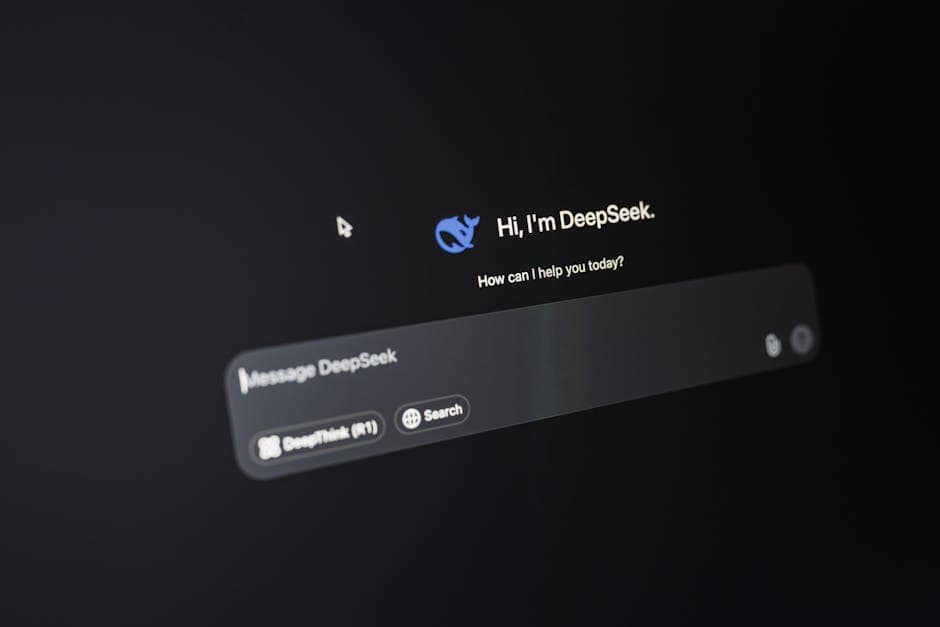
In 2026, AI tools that help build other AI tools have become invaluable for developers. These accelerate development cycles dramatically.
Essential developer tools:
Cursor is an AI IDE that autocompletes entire functions and debugs code in context. It understands your codebase and generates contextually relevant implementations, reducing scaffolding time by 60%.
Related: Best AI Tools for Image Generation 2026: Midjourney vs DALL-E vs Stable Diffusion
Jasper AI helps create marketing content for your AI tool launch. It generates landing pages, documentation, and promotional copy trained on high-performing content.
ElevenLabs provides voice capabilities for your AI applications—natural speech synthesis that makes AI tools more accessible and engaging for users.
Copy.ai generates varied copy for A/B testing your tool’s positioning and messaging across channels.
Beyond these, open-source frameworks like Hugging Face Transformers, LocalAI, and Ollama enable running models locally, avoiding API costs for development.
Easiest AI Tools to Build for Beginners
Not all AI tools require equal complexity. Easiest AI tools to build for beginners often provide tremendous value with minimal technical debt.
Beginner-friendly options:
- Prompt Enhancer: Takes user queries and rewrites them for better LLM results (200 lines of code)
- Content Summarizer: Distills articles into key points (300 lines of code)
- Simple Chatbot: Contextual conversation on a narrow topic (400 lines of code)
- Email Classifier: Routes emails to appropriate departments (350 lines of code)
- Social Media Caption Generator: Creates platform-specific content (250 lines of code)
These tools teach core concepts while delivering immediate utility. They’re perfect for building portfolio pieces demonstrating AI competency.
How to Monetize AI Tools You Build
How to monetize AI tools you build determines sustainability and scalability. The 2026 landscape offers multiple proven models:
Monetization strategies:
- Freemium: Free tier with limited usage, premium for advanced features ($10-50/month)
- Usage-Based: Charge per API call, word processed, or transformation (Pay-as-you-go)
- Subscription Tiers: Starter, Professional, Enterprise with feature differentiation
- White-Label: License your tool to other SaaS companies
- Integration Marketplace: Charge for connectors to other platforms (Zapier model)
- Enterprise Licensing: Per-seat or annual contracts with support
The most successful AI tool companies combine approaches: generous free tier for viral adoption, mid-tier subscriptions capturing SMBs, and enterprise contracts driving revenue.
Common Mistakes to Avoid
Learning from others’ failures accelerates your success. These mistakes recur across AI tool projects:
Critical mistakes:
- Ignoring latency: Users abandon AI tools with >5 second response times
- Poor prompt engineering: Spending weeks debugging LLM quality issues that 5 minutes of prompt refinement could fix
- Inadequate error handling: When APIs fail, provide graceful degradation and clear user messaging
- Insufficient testing: AI outputs require diverse test cases—not just the happy path
- Underestimating compliance: Data privacy laws apply regardless of using third-party APIs
- No monitoring: Production AI tools require observability into latency, error rates, and output quality
Advanced: Building Custom AI Models
After mastering API integration, some developers graduate to build AI tools from scratch including custom model training.
When to build custom models:
- Proprietary data that can’t use public APIs
- Extreme latency requirements (sub-100ms)
- Cost at scale (millions of inferences monthly)
- Edge deployment requirements
- Compliance requirements preventing cloud processing
Tools enabling this include Hugging Face’s transformers library, TensorFlow, PyTorch, and newer frameworks like Outlines for structured generation.
Fine-tuning existing models on your specific data typically requires 5-10GB GPU memory and 2-8 hours for quality results. Start here before training from scratch.
Deployment and Scaling Your AI Tool
Building AI applications 2026 means planning for production from day one. Deployment strategies differ from traditional software.
Deployment checklist:
- API rate limiting to prevent runaway costs
- Request queuing for handling traffic spikes
- Multi-region deployment for global latency
- Fallback models when primary APIs fail
- A/B testing framework for model versions
- Observability: logging, metrics, traces
- Auto-scaling based on queue depth and latency
Platforms like Vercel, Railway, and Modal handle much of this complexity. Modal, specifically, excels at running CPU/GPU-intensive AI workloads with automatic scaling.
The Future of AI Tool Development
By late 2026, the trajectory is clear: tooling continues improving, costs continue declining, and AI capabilities become increasingly commoditized. Differentiation shifts from model quality to user experience, domain expertise, and data advantage.
Related: Jasper AI vs Copy.ai vs Writesonic 2026: Which AI Writing Tool Wins?
The winners aren’t those with the most advanced models—they’re builders who solve specific problems brilliantly for specific users. Your AI tool’s competitive moat comes from understanding your market deeply, not from AI capabilities alone.
FAQ: How to Build AI Tools
What programming languages are best for building AI tools?
Python dominates AI development with 68% of ML engineers using it as their primary language, thanks to libraries like LangChain, Hugging Face, and PyTorch. However, production AI tools increasingly use TypeScript/Node.js for frontend integration and performance-critical paths. Go and Rust gain traction for high-performance inference servers. For rapid prototyping, Python excels. For production at scale, polyglot stacks combining Python (models), TypeScript (APIs), and Go (infrastructure) provide optimal tradeoffs.
How long does it take to build an AI tool?
Timeline depends on complexity, but realistic estimates: Simple tool (summarizer, classifier): 1-2 weeks with existing APIs, Intermediate tool (customer support bot with RAG): 4-8 weeks with multi-component integration, Complex tool (specialized model with custom training): 3-6 months with experimentation and iteration. These assume full-time development with prior AI experience. Beginners add 50-100% to estimates. Using tools like Cursor accelerates development by 30-40% through AI-assisted coding.
What frameworks do developers use to build AI tools?
LangChain is the most popular framework (used by 45% of production AI tools) for chaining together LLM calls, memory, and retrieval. LlamaIndex specializes in data indexing for RAG systems. Hugging Face provides pre-trained models and model hub. FastAPI pairs perfectly with Python for building API backends. Vercel AI SDK streamlines frontend-backend integration for JavaScript developers. For autonomous agents, AutoGPT and Crew AI provide orchestration frameworks. Most production systems use combinations: LangChain + FastAPI + React, or Vercel AI SDK + Next.js for full-stack integration.
Can I build AI tools without machine learning experience?
Absolutely yes—in fact, most successful AI tools launched in 2026 don’t involve ML expertise at all. Modern abstraction layers mean you primarily need software engineering skills. Understanding LLM capabilities, prompt engineering techniques, and API integration patterns replaces mathematical ML knowledge. Your learning path: (1) understand how LLMs work conceptually (2 days), (2) learn a framework like LangChain (3-5 days), (3) build your first prototype (1-2 weeks). Traditional ML knowledge helps for optimization and custom models (5% of use cases), but isn’t prerequisite for shipping production tools.
How much does it cost to develop an AI tool?
Development cost breakdown for a typical AI tool in 2026: Infrastructure ($100-500/month for hosting), API usage (varies wildly—from $0 for free tiers to $5,000+/month for high-volume usage), developer time (biggest expense: $30,000-$150,000+ depending on complexity and location), optional services like vector databases ($50-500/month). Total to MVP: $10,000-$50,000 in developer time for a competent developer working alone. Using cloud credits, open-source tools, and starting with free API tiers reduces financial cost while keeping opportunity cost high. Monetizing quickly (even at small scale) recovers development costs within 6-12 months for most successful tools.
Summary Table: AI Tool Development Pathway
| Stage | Duration | Focus | Technology | Skills Required |
|---|---|---|---|---|
| Foundation | 1-2 weeks | Environment setup, API selection | Python, .env, API keys | Basic programming |
| MVP | 2-4 weeks | Core functionality, single feature | LangChain, FastAPI, LLM API | API integration |
| Enhancement | 2-6 weeks | Memory, RAG, safety features | Vector databases, prompting | System design |
| Optimization | 1-4 weeks | Cost reduction, latency, scaling | Caching, monitoring, multi-region | Infrastructure knowledge |
| Production | Ongoing | Observability, A/B testing, deployment | DevOps tools, analytics | Full-stack understanding |
Building successful AI tools in 2026 requires balancing technical excellence with user empathy. The most impressive models mean nothing if they don’t solve real problems for real users. Start with clear problems, build incrementally, measure relentlessly, and optimize based on data.
Your next step: Choose one small problem you can solve with an AI tool in your domain expertise. Spend this week learning the framework that fits your tech stack—whether that’s LangChain for Python or Vercel AI SDK for TypeScript. By next week, you’ll have a working prototype. That prototype becomes your launchpad for building production AI tools.
The democratization of AI development means the barrier to entry has never been lower. Your next AI tool is 2-4 weeks away—start building today.
Looking for more tools? See our curated list of recommended AI tools for 2026 →
AI Tools Wise — Our content is researched using official sources, documentation, and verified user feedback. We may earn a commission through affiliate links.