If you’re looking for how to use ChatGPT free, you’re in luck: OpenAI continues to maintain a completely free version in 2026. However, access and features have evolved significantly compared to previous years. This guide will show you exactly how to access it, what you can do, where the limitations are, and most importantly, when you really need to upgrade to premium.
Prerequisites for Accessing Free ChatGPT
Before you begin, you’ll need to prepare the following:
- A stable internet connection
- A valid email address (Gmail, Outlook, or any provider)
- A device with a modern web browser (Chrome, Firefox, Safari, Edge)
- Be 18 years or older (OpenAI requirement)
- Be in a region where ChatGPT is available (most of the world, except some specific jurisdictions)
If you have a smartphone, you can also use OpenAI’s official app, available on iOS and Android. The experience is equivalent to the web version.
How to Use Free ChatGPT: Step-by-Step Guide

Step 1: Access the Official Platform
Go to chat.openai.com in your browser. This is the only official site. Be wary of any site that promises free ChatGPT with different URLs, as they could be scams or unauthorized alternatives.
Expected result: A registration form will open.
Step 2: Complete Registration With Your Email
You have two options:
- Sign in directly with your email address and create a password
- Use Sign up with Google or Sign up with Microsoft for quick registration
We recommend the second option: it’s more secure and faster. Select your provider, authorize the connection, and you’re done.
Estimated time: 2 minutes
Step 3: Verify Your Email
OpenAI will send you a confirmation email. Open your inbox (check spam if you don’t see it) and click the verification link.
⚠️ Warning: If you don’t receive the email within 5 minutes, request a new verification link from the registration form.
Step 4: Complete Your Profile
OpenAI will ask for additional information:
- Your full name
- Your phone number (for additional security verification)
- Your date of birth
The phone number is optional but recommended, especially if you plan to use ChatGPT frequently.
Estimated time: 3 minutes
Step 5: Access ChatGPT!
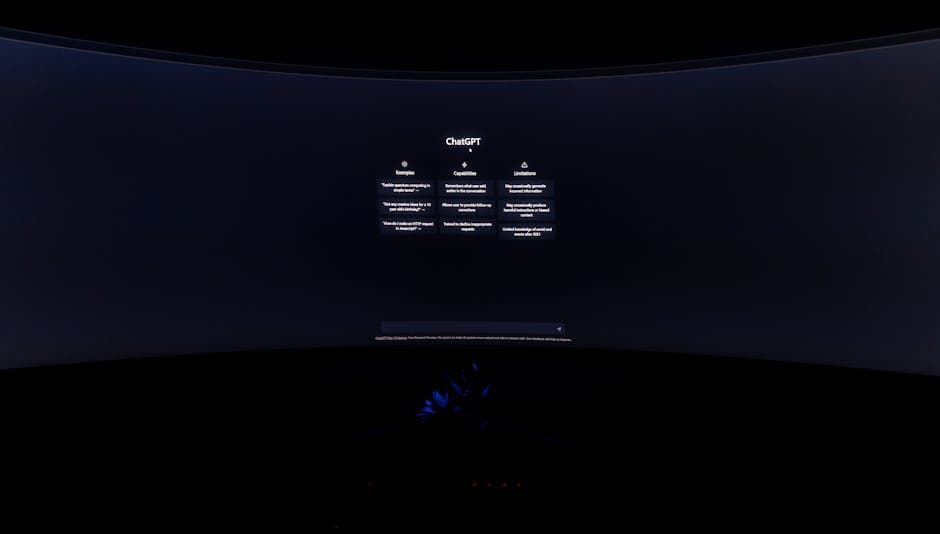
After verifying your phone, you’ll be automatically redirected to the chat. You’ll see the interface with a text box at the bottom that says “Message ChatGPT…”
Expected result: You can write your first message. Type something like “Hello, how do you work?” to verify that everything is working correctly.
Total process time: 5-10 minutes
Features Available in Free ChatGPT Version
Get the best AI insights weekly
Free, no spam, unsubscribe anytime
No spam. Unsubscribe anytime.
Now that you have access, it’s crucial to understand what you can do with free ChatGPT in 2026:
- Unlimited conversations (no limit on number of chats)
- Access to GPT-4o mini (lightweight but capable version)
- Image analysis (upload photos for description or analysis)
- Code generation (Python, JavaScript, HTML, etc.)
- Writing and content editing
- Basic web search (in some cases)
- Customizable dark/light mode
- Download conversations as PDF
This is much more than most users need. The reality is that many people use free ChatGPT without issues for everyday tasks.
Free ChatGPT Limitations: What You Cannot Do
Speed and Availability Limits
The most noticeable limitation of free ChatGPT is throttling (speed limitation). During peak hours, especially between 6:00 PM and 11:00 PM (U.S. time), response speed decreases significantly.
How many messages can I send in free ChatGPT? OpenAI doesn’t publish an exact number, but user reports indicate you can send between 30-50 messages every 3 hours in the free version. It’s not a hard restriction, but there is a limit.
No Access to Full GPT-4
Free ChatGPT does NOT include GPT-4, the most advanced model. You’ll have access to GPT-4o mini, which is competent but not the latest generation model. For work requiring deep analysis, complex technical writing, or advanced reasoning, you’ll need the premium version.
No Advanced Plugins or Integrations
ChatGPT Plus users can use:
- Zapier integration for automation
- Access to OpenAI’s app store
- Connections with external tools
In the free version, these options are not available.
No Access to Custom GPTs
Custom GPTs (specialized versions of ChatGPT created by users) are only available for ChatGPT Plus subscribers.
No Conversation History in Some Browsers
If you disable cookies or use incognito mode, free ChatGPT won’t save your conversation history. Premium users have guaranteed synchronization across devices.
Free ChatGPT vs Premium: Comparison Table

| Feature | Free ChatGPT | ChatGPT Plus |
|---|---|---|
| Base model | GPT-4o mini | GPT-4, GPT-4 Turbo, GPT-4o |
| Response speed | Normal (slow during peak hours) | Priority |
| Image analysis | ✓ Yes | ✓ Yes |
| Image generation (DALL-E) | ✗ No | ✓ Yes (50 images/month) |
| Monthly cost | $0 | $20 USD (~€18) |
| Message limit | Moderate (~40/3h) | 3x higher (~120/3h) |
| Access to GPTs | ✗ No | ✓ Yes |
When Should You Upgrade to ChatGPT Plus
Not everyone needs ChatGPT Plus. Here are the clear triggers for knowing when it’s worth upgrading:
Upgrade to Plus if:
- You work with AI daily for your business or freelance (writing, analysis, code)
- You need guaranteed speed because every minute counts in your work
- You use DALL-E for image generation and need more than 15 free credits/month
- You require complex analysis with full GPT-4 (not just mini)
- You need 24/7 access without interruptions during peak hours
- You want to create custom GPTs for specific use cases
Stay Free if:
- You only use ChatGPT occasionally (less than 5 times per week)
- Your tasks are simple (questions, brainstorming, basic writing)
- Response speed isn’t critical
- You don’t need image generation
- Your budget is limited
Free Alternatives to ChatGPT by Use Case
If free ChatGPT doesn’t completely fit your needs, but you don’t want to pay, consider these alternatives:
Claude (Anthropic) – Best for Analysis and Long Context
Free Claude on claude.ai offers an excellent alternative. It has better contextual understanding and can analyze longer documents. If you need to process large PDF files or maintain very long conversations, free Claude may be better than free ChatGPT.
Google Gemini – Best for Integrated Search
Gemini (formerly Bard) has integrated real-time web search access, even in the free version. If you need current information, free Gemini can outperform free ChatGPT.
Llama 2 (Meta) – Best for Privacy
If you’re concerned about privacy, you can run Llama 2 locally on your computer. It’s completely free and open-source.
Copilot (Microsoft) – Best for Office Integration
If you work with Word, Excel, or PowerPoint, free Copilot integrates AI directly into these tools. It’s limited but useful for Microsoft users.
Practical Tips to Maximize Free ChatGPT

1. Structure Your Prompts Better
In the free version, the quality of your question matters even more. Instead of asking vaguely, be specific:
Bad: “How do I write an email?”
Good: “Write a professional 150-word email in English politely declining a job offer while maintaining good relationships.”
2. Use Conversation History to Your Advantage
ChatGPT remembers the context of your conversation. Instead of creating multiple chats, maintain one long conversation on a topic. This helps ChatGPT better understand your final objective.
3. Experiment With Different Approaches
If a question doesn’t give you a good answer, rephrase the question from a different angle. Free ChatGPT is capable enough to iterate and improve results.
4. Download Your Useful Conversations
In the ChatGPT interface, you can download any conversation as a PDF. Save the useful ones as reference for future tasks.
5. Use Free ChatGPT for Initial Brainstorming
If you’re planning a project, use free ChatGPT to generate ideas and outlines. Once you have a clear direction, you can refine it with premium tools later if necessary.
Troubleshooting Common Problems
“I can’t access ChatGPT. It says it’s not available in my region”
Solution: ChatGPT has restrictions in some countries (China, Russia, Iran, North Korea, among others). If you’re in one of these, you’ll need to use a VPN from another country. Keep in mind this may violate OpenAI’s terms of service.
“I’m Getting the Error ‘Rate Limit Exceeded'”
Solution: This means you exceeded your message limit in your time window (usually 3 hours). Wait for the counter to reset. In the meantime, you can use an alternative like Claude or Gemini.
“My Account Was Suspended Without Reason”
Solution: This usually happens if OpenAI detects:
- Use of suspicious proxies or VPNs
- Attempt to bypass content restrictions
- Multiple accounts from the same IP address
Contact support@openai.com to appeal the decision.
“I Can’t Upload Images in the Free Version”
Solution: You can upload images in free ChatGPT. Click the paperclip icon (📎) next to the text box. If you don’t see this option, update your browser or try incognito mode.
“The Speed Is Too Slow”
Partial solution: During peak hours (6:00 PM-11:00 PM EST), free ChatGPT deliberately slows down. Your options are:
- Use ChatGPT during off-peak hours (early morning)
- Switch to Claude or Gemini temporarily
- Upgrade to ChatGPT Plus ($20/month)
How to Maximize Free ChatGPT for Creating Professional Content
If your use case is content creation, free ChatGPT is quite capable. You can follow specific strategies by exploring our detailed resources on AI-powered content creation.
Some quick tips:
- Use reusable prompt templates
- Ask ChatGPT to play roles (marketing expert, technical writer, etc.)
- Break large projects into multiple small conversations
- Ask for feedback and iterative refinement within the same chat
Free ChatGPT vs Alternatives: Which to Choose?
To help you decide between free ChatGPT and its alternatives:
- If you need speed and access to GPT-4: ChatGPT Plus ($20/month)
- If you value privacy and document analysis: Free Claude
- If you want current web information: Free Google Gemini
- If you have budget and want a complete premium assistant: Consider Claude Pro ($20/month also) which offers unlimited Claude 3.5 Sonnet
- For spelling and grammar correction integrated: Grammarly free (or Premium for advanced AI)
Frequently Asked Questions About Free ChatGPT in 2026
Is ChatGPT Still Free in 2026?
Yes, ChatGPT remains completely free in 2026. OpenAI maintains this version to democratize access to AI. The premium version (Plus) is optional, not mandatory.
What Are the Limitations of Free ChatGPT?
The main limitations are:
- Throttling during peak hours (slow speed)
- Message limit every 3 hours (~40)
- No access to full GPT-4 (only GPT-4o mini)
- No image generation with DALL-E
- No access to custom GPTs
- No advanced integrations
What Can I Do With Free ChatGPT That I Can’t Do With Premium?
In terms of basic functionality, everything free ChatGPT does, premium does too (just better and faster). The difference isn’t in “what you can do” but in “how well and fast it does it”.
Is It Safe to Use Free ChatGPT?
Yes, it’s as safe as the premium version. OpenAI encrypts your data in transit. However, keep in mind that:
- Don’t save sensitive personal information or passwords
- OpenAI may use your conversations to train models (you can disable this in settings)
- Avoid sharing confidential company data
What’s the Best Free Alternative to ChatGPT?
It depends on your use case:
- For deep analysis: Claude (Anthropic)
- For web search: Google Gemini
- For total privacy: Llama 2 (self-hosted)
- For Office integration: Microsoft Copilot
Is ChatGPT Plus Worth Paying For?
It’s worth it if:
- You use ChatGPT more than 10 hours per week
- Your work depends on speed and reliability
- You need full GPT-4 access for complex tasks
- You generate images regularly with DALL-E
It’s not worth it if you use AI occasionally or your tasks are simple. Stay free.
Conclusion: How to Use Free ChatGPT in 2026
In summary, how to use free ChatGPT is simple: go to chat.openai.com, sign up with email or Google, verify your identity, and start typing. No complicated setup.
Free ChatGPT in 2026 remains an extraordinarily powerful tool for most users. With GPT-4o mini, image analysis, and code generation, you can perform tasks that five years ago required specialized software or expensive professionals.
The limitations (speed during peak hours, no full GPT-4, no DALL-E) only matter if you have very specific needs. For brainstorming, writing, analysis, code, and general questions, free ChatGPT is more than enough.
Our advice: start with the free version. If after a month you discover you need more speed or advanced capabilities, then consider ChatGPT Plus or alternatives like Claude Pro. There’s no rush to pay until you really need it.
Next recommended step: Go to chat.openai.com now, create your account, and make your first prompt. Experiment with different types of questions for a week. Then you can decide if you need to upgrade or if the free version meets your needs.
Looking for more tools? Check our selection of recommended AI tools for 2026 →
If this topic interests you, don’t miss our guide on related AI tools and resources for 2026.
The AI Guide — Our content is developed from official sources, documentation, and verified user opinions. We may receive commissions through affiliate links.